
vfo-knob-svxconnect
The SvxLink firmware
vfo-knob-svxconnect turns the knob into a node on an
SvxLink reflector — no radio at all: the knob's
microphone and speaker are the station. It speaks the reflector's protocol 3.0,
with the reflector's own TLS and a client certificate, and Opus audio both
ways. It is a port of SVXConnect-CLI's
reflector client, in SVXConnect's colours.
The pictures are the knob's own screens; the orange marks are what your hand does.
First run
Open the knob's configuration page — hold a finger on the S-meter until the
knob clicks, and browse to the address on the card; user admin, password
admin until you change it.
- Set the WiFi, and the reflector: its name, not its host —
be.svx.linkis found through its SRV record. - Under Station, give your callsign and an email address; the location and position are for the reflector's map.
- Press Request certificate. The knob makes its key (a few seconds), sends the reflector a certificate request, and keeps asking every 30 s until the sysop has signed it — then it logs in by itself. The certificate renews by itself; the key never changes, because the reflector knows the callsign by it.
The face
The radio face, read differently:
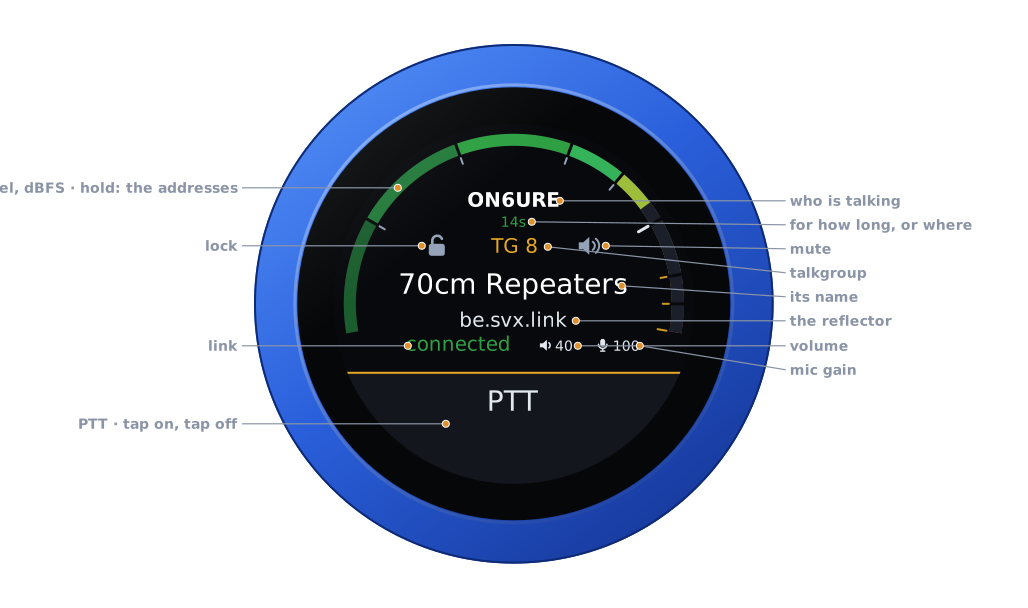
| Part | Tap | |
|---|---|---|
| The arc | hold: the address card | the received audio in dBFS, and in transmit the microphone |
| Who is talking | — | with where they are when the reflector publishes it, or who spoke last and how long ago |
| Lock | on, off | no switching, by the dial or by a busier talkgroup |
| Talkgroup | — | TG n, its name from the reflector's portal where the frequency is, the reflector under it |
| Mute | on, off | the speaker off; the talkgroup still selected, who is talking still shown |
| Link | — | connected, connecting or disconnected |
| Volume, mic gain | their editors | the knob's own levels |
| PTT | key, and key off | see Transmitting |
Talkgroups
Turn the knob: the next switchable talkgroup, one a detent.
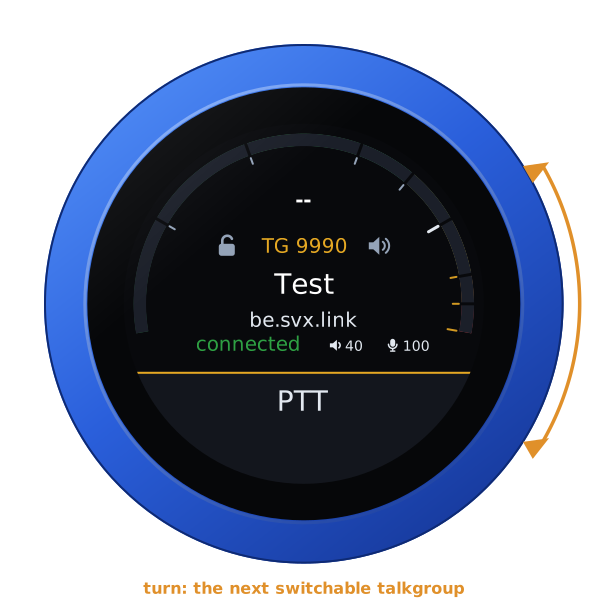
Talkgroups follow SVXConnect's rules, set on the configuration page:
switchable ones are on the dial, monitored ones are followed when there is
traffic, a + after a number raises its priority (9990, 8++, 1745+), the
knob stays on a talkgroup for a while after an over, and drops back to
monitoring after a quiet spell. With no lists set it steps through every
talkgroup the reflector's portal names.
Transmitting
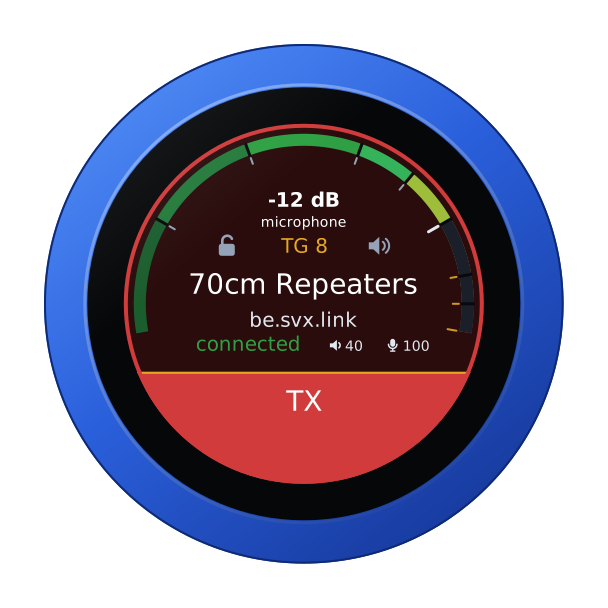
PTT is a toggle, as on the radios: tap to key, tap again to unkey. It keys as the finger lifts from a tap, and on the air a touch unkeys at once. The reflector's own announcement of your callsign confirms the key; on a busy talkgroup it refuses you the floor, and the knob says so with the refusal click. On the air the arc is the microphone.
On an enhanced reflector
Where the reflector has a portal, the knob reads its talkgroup names (kept in flash, refreshed daily) and follows its live feed for where each talker is. The feed is a second connection to the same host; it can be switched off on the configuration page.
Another firmware
Hold the arc for the address card, then hold it again for three seconds until the knob buzzes, and turn: see the setup guide.