VFO-Knobby RF.Guru
Built for AetherSDR · speaks TCI v2.0

Tune AetherSDR with a real knob

VFO-Knob is a 66 mm touch-screen tuning knob for AetherSDR, the free, open-source app for FlexRadio transceivers. Tune, pick the step, key the transmitter and watch the S-meter — over one USB-C cable or over WiFi. The firmware is already on it, and versions for more radios and apps are on the way.

Works onWindowsmacOSLinux
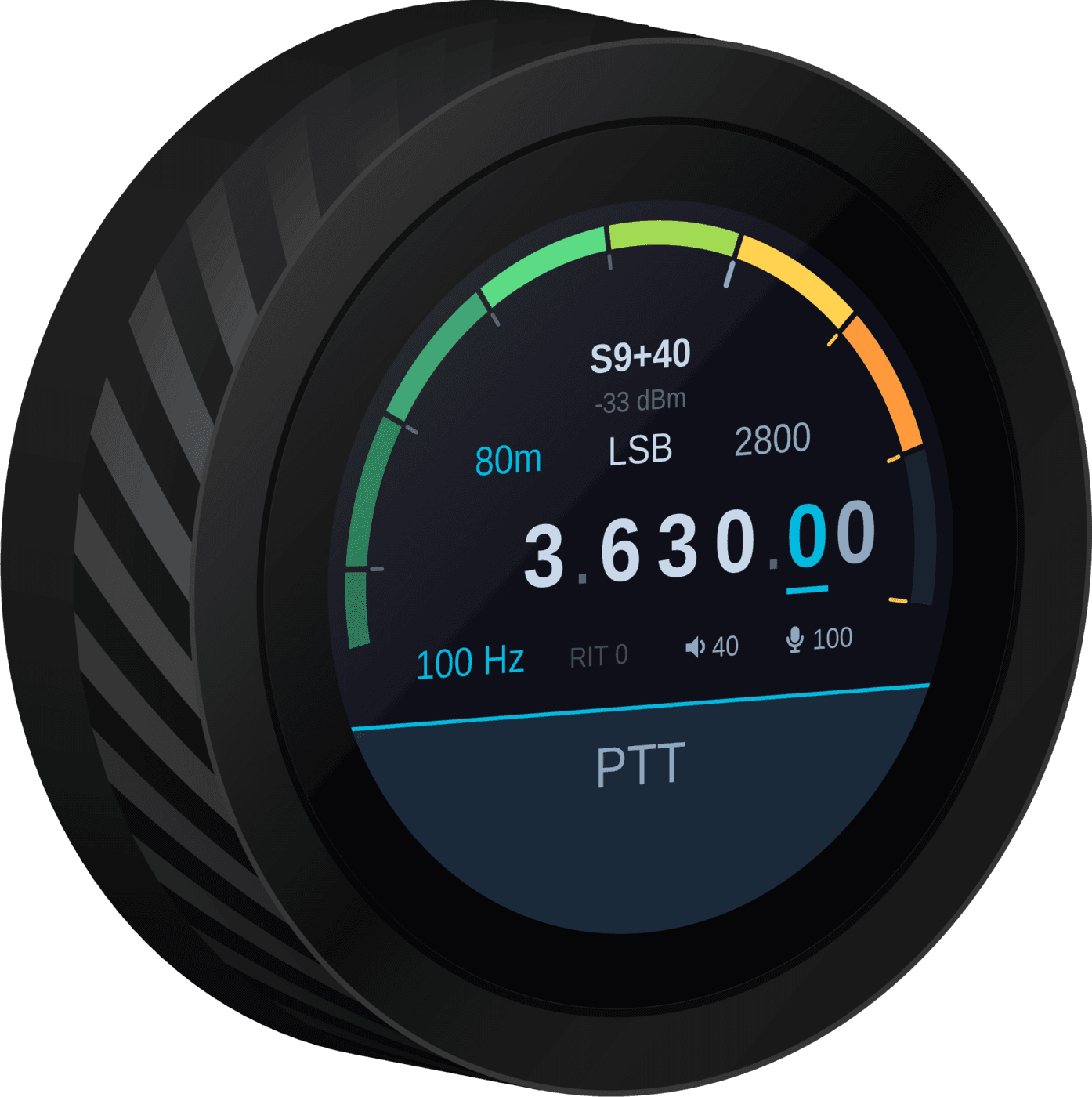
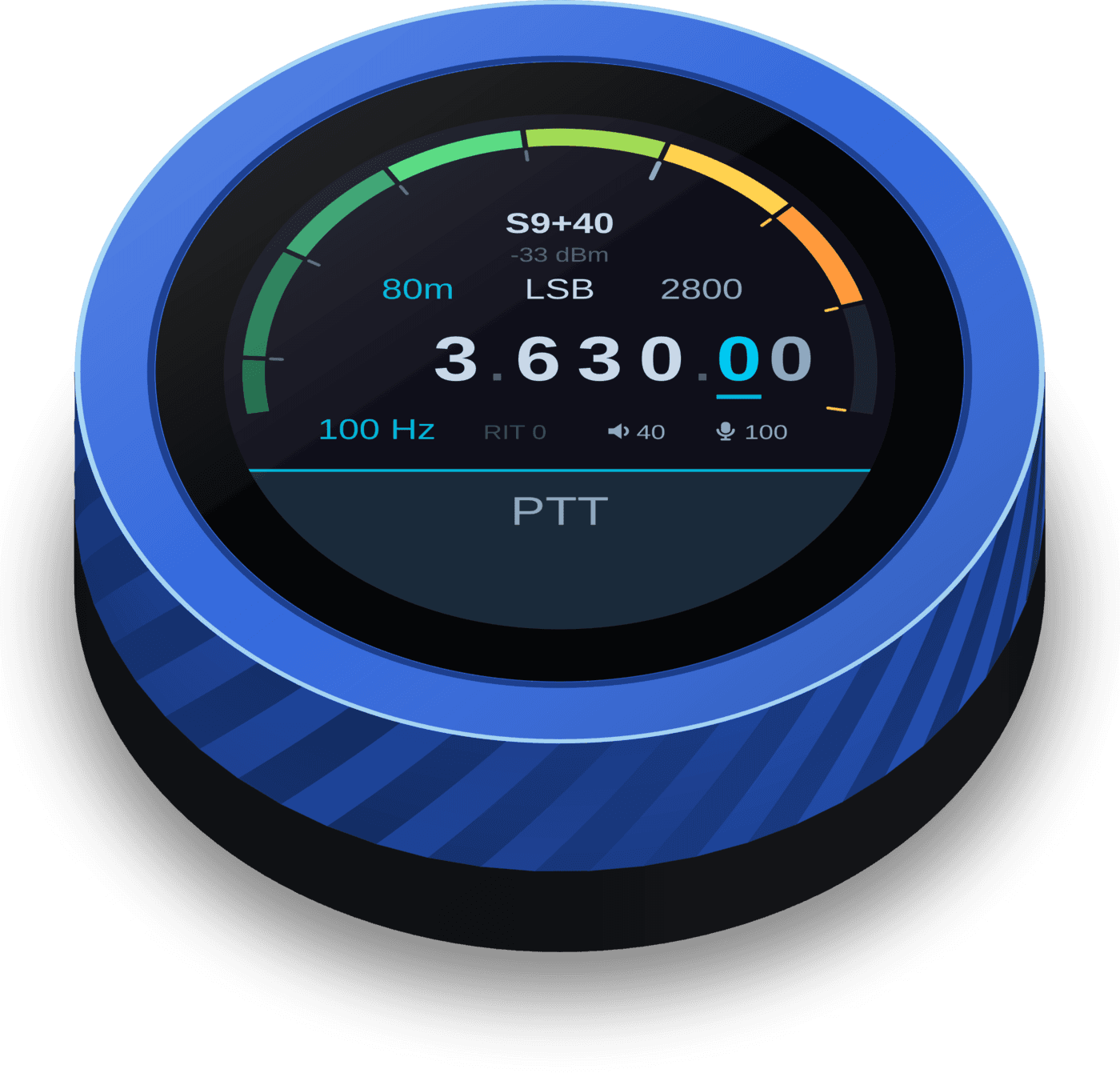
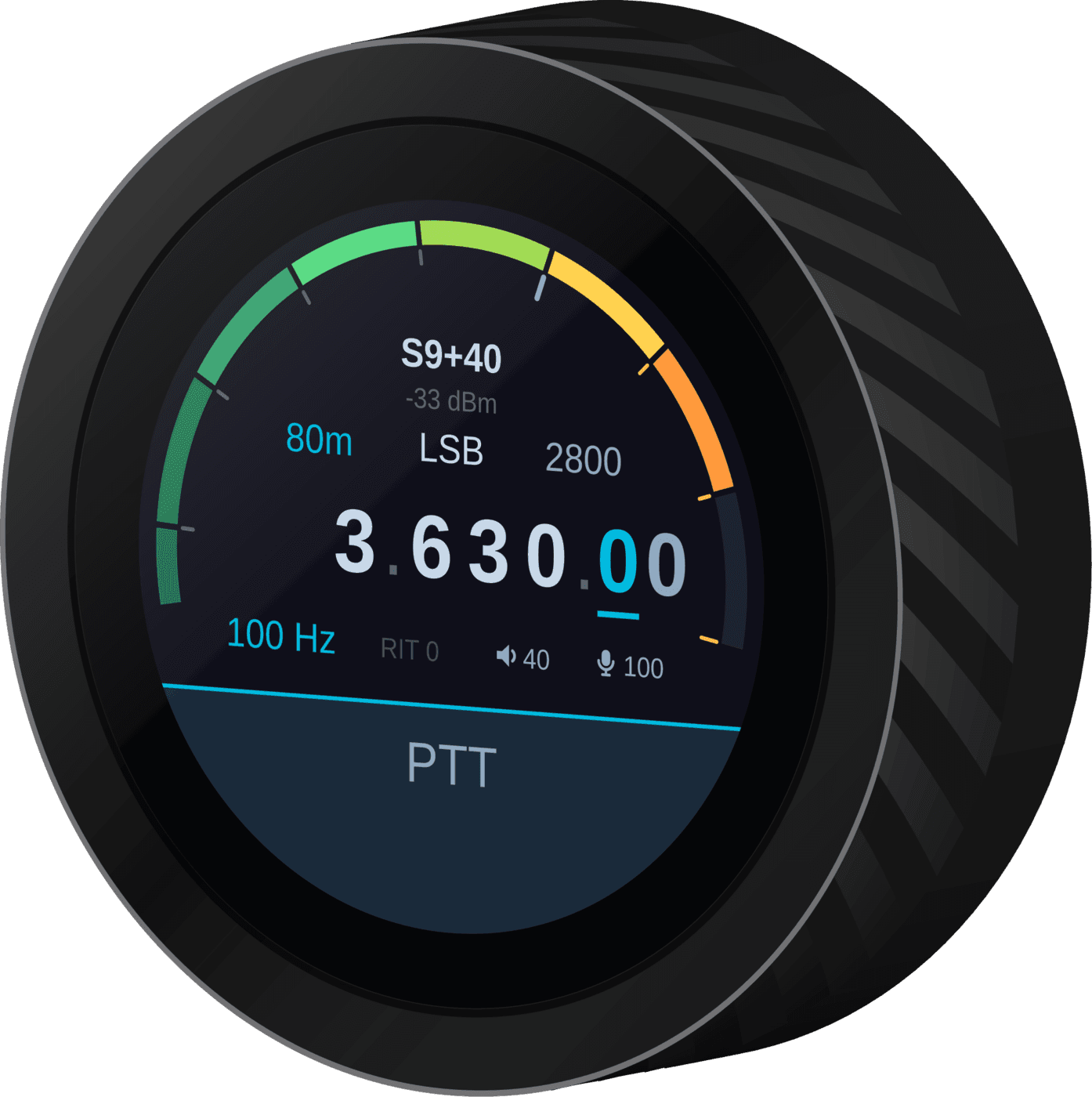
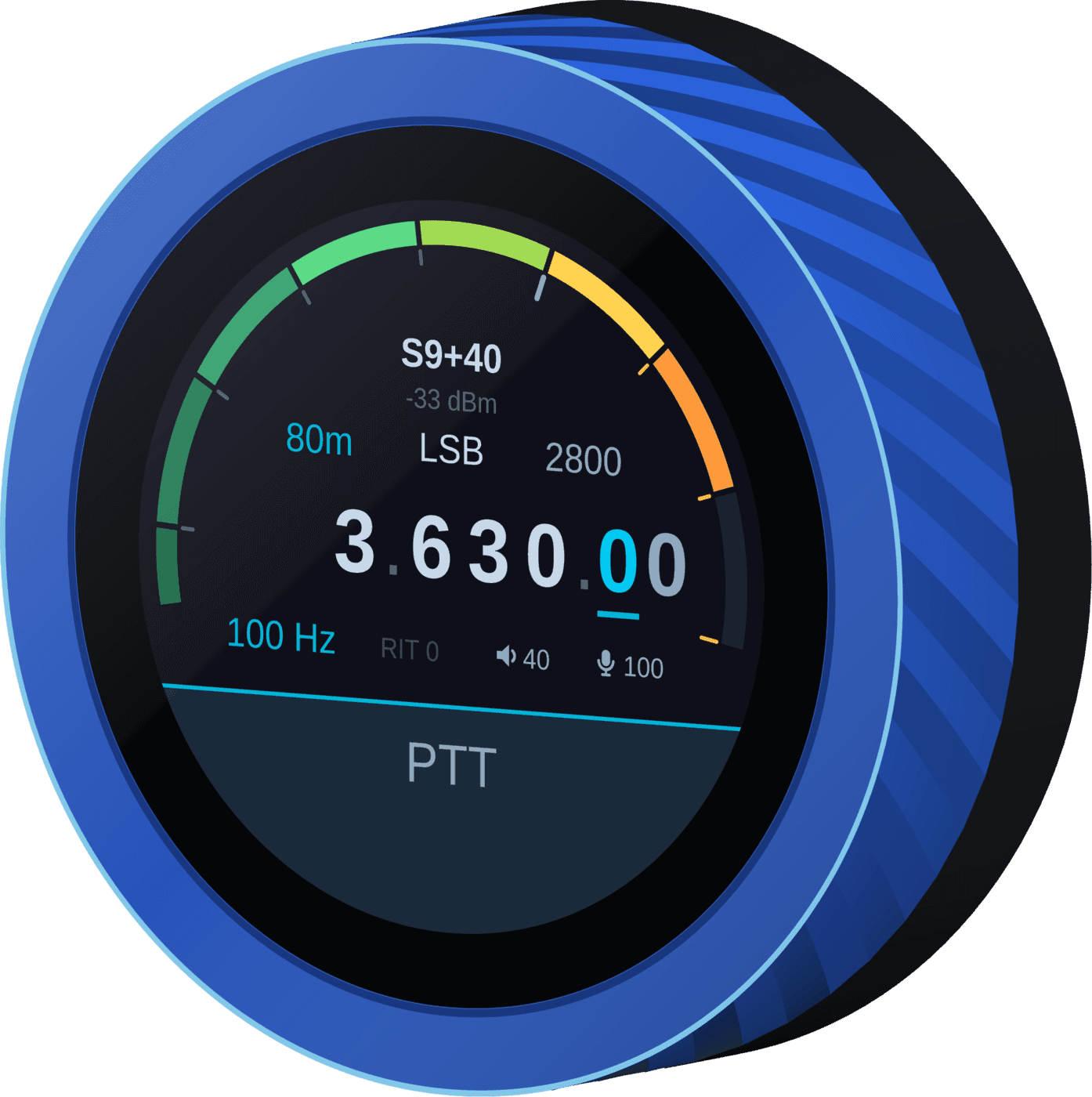
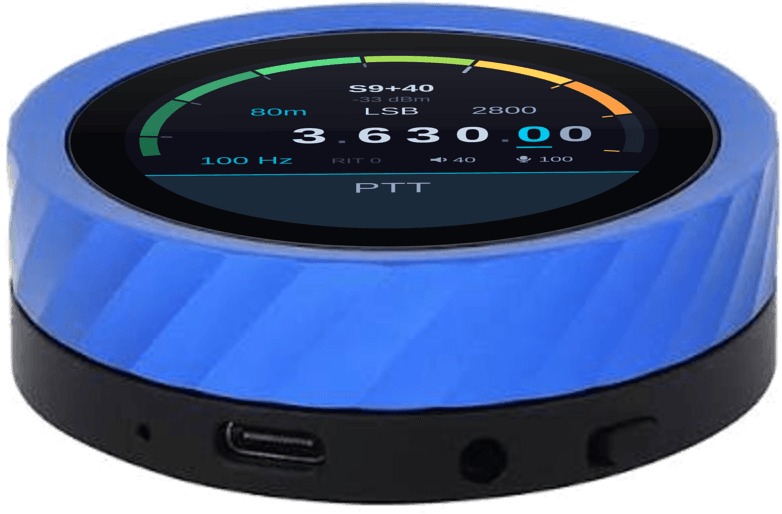
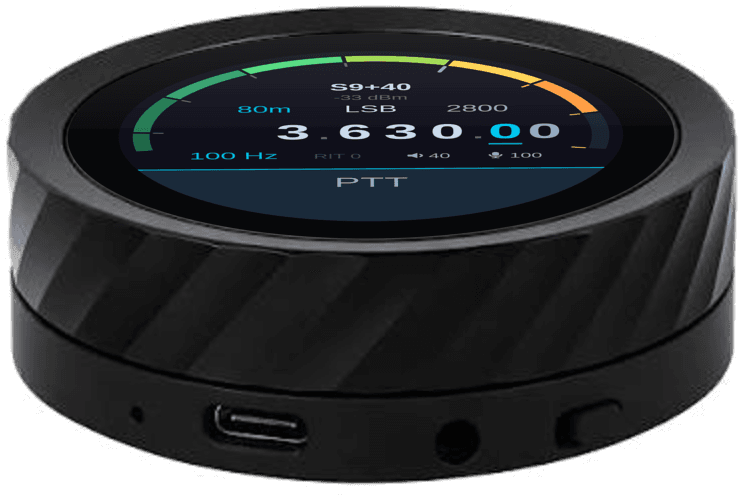
VFO-Knob BlackVFO-Knob Blue, showing 3.630.00 MHz LSB on 80 m with the S-meter at S9+40

Your radio, at your fingertips

Receive and transmit, shown to scale in the 66 mm body. The readouts follow the bars — just as they do on the knob.

Receiving: the S-meter rises to S9+20 and falls back while its readout follows and the 100 Hz digit ticks
Receive. S-meter, band, mode and filter, the frequency with its tuning digit underlined, step, RIT, volume and mic gain.
Transmitting: SWR on the left, forward power on the right with the mic level inside it, both readouts following their bars; red PTT bar
Transmit. SWR on the left, forward power on the right with the mic level inside it — and a red PTT bar you can't miss.

It isn't polling — it's told. VFO-Knob speaks TCI v2.0, the open control protocol built into AetherSDR. Tune at the desktop and the knob follows; turn the knob and the desktop moves.

Everything you reach for, under one hand

Tune, key, listen and read the meters without looking for the mouse.

Tune by the digit

Tap a digit to set the step to that decade. Acceleration rides on top: a flick crosses a band, a slow turn lands on 10 Hz.

PTT with guard rails

Tap to key, tap along the bottom to unkey. A transmit time-out, a haptic nudge every 10 seconds and a screen that goes amber with a red PTT bar keep you aware you're on the air.

Real meters

An S-meter on receive. SWR and auto-ranging forward power — up to 2 kW full scale — on transmit, with the mic level riding inside the power arc.

Audio both ways

Receive audio from the 3.5 mm jack, transmit audio from the built-in microphone, each with its own level.

Mode, filter, RIT

Tap to open, turn to choose, tap anywhere to accept. No menus to dig through.

Addresses at a tap

Tap the meter arc and the knob shows its network addresses — no digging through your router to find it.

Set up from a browser

A configuration page on the knob itself: status, AetherSDR host, WiFi, audio levels, transmit time-out, password and updates.

Signed updates

Every firmware image is RSA-3072 signed and checked before it's accepted — and a failed update rolls back by itself.

Two editions. Same knob.

Both arrive with the firmware installed and do everything on this page. The difference is how they're powered — and so where they like to live.

VFO-Knob Blue: a blue knob with a round display, on a black base with a USB-C port and a 3.5 mm jack

VFO-Knob Blue

With battery

Cordless, on your WiFi

A built-in battery means no cable on the desk. Set up your WiFi once over USB-C, then put the knob wherever your hand falls — beside the keyboard or at the operating position — and it reaches AetherSDR cordless.

  • Built-in rechargeable battery
  • Connects to AetherSDR over WiFi
  • USB-C to charge — and the cable when you want it

€99

Firmware preinstalled
Order Blue(opens the RF.Guru shop)
VFO-Knob Black: an all-black knob with a round display, showing its USB-C port and 3.5 mm jack

VFO-Knob Black

USB powered

One USB-C cable for power and data

Plug it into the computer running AetherSDR: it shows up as a network adapter, gets its address by itself and connects — no WiFi to set up. Want it cordless? Run it from a power bank and it goes over WiFi instead.

  • Powered over USB-C — no battery
  • Zero-configuration USB network link
  • WiFi when it runs from a power bank or charger

€99

Firmware preinstalled

Order Black(opens the RF.Guru shop)
VFO-Knob Blue and VFO-Knob Black compared
FeatureBlueBlack
Price€99€99
PowerBuilt-in battery, charges over USB-CUSB-C — computer, charger or power bank
USB-C link to the computerYesYes
WiFiCordless, on batteryFrom a power bank or charger
Display, knob, haptics, audioYesYes
Windows · macOS · LinuxYesYes
Firmware preinstalledYesYes
Order from the RF.Guru shop

€99 either way, firmware preinstalled. Plug it in, turn on TCI in AetherSDR and follow the setup below.

Two ways to connect

The knob chooses for itself: the cable whenever there's a computer on the other end of it, WiFi when it runs from a battery, charger or power bank.

USB-C

Preferred

One cable for power and data

The knob shows up on your computer as a USB network adapter, gives it an address and talks TCI over the cable. No WiFi and no IP addresses to type in: it connects to AetherSDR on the computer it's plugged into.

WiFi

Anywhere on your network

Enter your network and the AetherSDR computer's address once, on the knob's configuration page. From then on it connects by itself whenever it isn't plugged into a computer — cordless on the blue edition's battery, or from a power bank or charger on the black.

VFO-Knob Black, angled, showing the tuning display

Made for AetherSDR

AetherSDR is the free, open-source, native amateur-radio workstation for FlexRadio 6000, 8000 and Aurora transceivers. VFO-Knob talks to it directly through its built-in TCI v2.0 server — no plug-ins, no bridge software, no virtual serial ports.

AetherSDR runs natively on Windows, macOS and Linux — and so does the knob, over USB-C or WiFi on all three.

Windows
macOS
Linux

More radios and apps are on the way

AetherSDR is where VFO-Knob starts. Versions for other radios and SDR apps are in the works.

Tell us what you run

Up and running in minutes

The firmware is already on the knob. Four steps — and the last one is optional.

  1. 1

    Install AetherSDR, turn on TCI

    Install AetherSDR — free for Windows, macOS and Linux — and enable its TCI server: the TCI panel in the button bar.

  2. 2

    Plug it in

    Connect the knob to the computer running AetherSDR with a USB-C cable and give it about ten seconds. The socket only works one way round: if no network adapter appears, turn the plug over.

  3. 3

    Open the configuration page

    Browse to http://10.55.42.1, sign in with admin / admin, and set your own password — the knob can key a transmitter.

  4. 4

    Go cordless (optional)

    Add your WiFi network and the AetherSDR computer's address, then run the knob from its battery or a power bank.

Linux

Binds the knob by itself — no driver to install.

If your firewall drops incoming connections (ufw, or firewalld's public zone), let the knob reach AetherSDR's TCI port once:

$ sudo ufw allow proto tcp from 10.55.42.1 to any port 50001

macOS

Same four steps: plug the knob in, open http://10.55.42.1 and it connects to AetherSDR on that Mac.

Rather keep the Mac's ports free? Set up WiFi once and run the knob cordless.

Windows

Windows 10 (1903 or later) and 11 load the knob's network driver by themselves. Windows files the link as a public network, though, so allow AetherSDR's TCI port on it once.

A USB-SERIAL CH340 port in Device Manager means the plug is upside down: turn it over.

Step-by-step Windows guide

Built to be trusted with a transmitter

Signed, fail-safe updates

Latest firmware: v1.3.2

Firmware images are RSA-3072 signed and verified before they're accepted. On WiFi the knob checks once a day while it's on and installs quietly — it never reboots on its own; the new image waits until you next restart it. Over USB, the configuration page fetches the update and hands it over. If a new image ever fails to boot, the knob rolls back to the one before.

PTT that looks after itself

PTT is a toggle, so the radio stays keyed when you let go. That's why there's a transmit time-out, a haptic reminder every 10 seconds and a screen that goes amber with a red PTT bar. If something goes wrong, the knob steps down in stages — unkey, close the connection, tear it down, and finally restart itself. AetherSDR unkeys as soon as it sees the connection close.

Safety notes

Specifications

Works with
AetherSDR on Windows, macOS and Linux
Protocol
TCI v2.0 over WebSocket
Display
1.8″ round touch screen, 360 × 360
Controls
Rotary knob, touch screen, haptic feedback
Size
Ø 66 mm · 22 mm high
Connections
USB-C (USB network adapter, CDC-NCM) · WiFi 2.4 GHz
Audio
3.5 mm audio out · built-in microphone
Power
Blue: built-in battery, charges over USB-C · Black: USB-C
Meters
S-meter · SWR · forward power, auto-ranging to 2 kW · mic level
Configuration
Web page on the knob, password-protected
Updates
RSA-3072 signed, automatic rollback
Inside
ESP32-S3, 16 MB flash, 8 MB PSRAM (Waveshare ESP32-S3-Knob-Touch-LCD-1.8)
Firmware
Open source, Apache-2.0 — preinstalled

Open-source firmware

Apache-2.0

Read it, build it, change it. The source, the build instructions and the full setup guide live on GitHub.

v1.3.2ESP-IDFApache-2.0
View on GitHub

Questions, answered

Which edition should I get?
If you want the knob away from the computer — or no cable on the desk at all — get the blue edition: its battery lets it run cordless on your WiFi. If it will sit next to the computer running AetherSDR, the black edition runs on one USB-C cable, with no WiFi to set up. Both are €99, run the same firmware and do the same things.
Which radios does it work with?
The knob talks to AetherSDR rather than to the radio, so it works with the radios AetherSDR runs — today that's FlexRadio 6000, 8000 and Aurora-series transceivers. Versions for other radios and apps are in the works; tell us which one you'd like next.
Does it work with SmartSDR?
Not directly: the knob talks to AetherSDR, not to SmartSDR or to the radio itself. AetherSDR is free and open source for Windows, macOS and Linux — and it can run alongside SmartSDR and Maestro through Multi-Flex.
Do I need to install anything?
Only AetherSDR, if you don't have it yet. The firmware is already on the knob, everything else happens in your browser, and Windows, macOS and Linux all have the USB network driver built in. On Windows, allow AetherSDR's TCI port on the knob's network once — the Windows guide shows how.
Can I use the black edition over WiFi?
Yes. Set your WiFi network and the AetherSDR computer's address on the configuration page first, then power the knob from a power bank or any USB charger. Plugged into a computer, it always prefers the cable.
Does it need the internet?
No. Over USB the knob and your computer share a private link with nothing behind it. On WiFi the knob checks GitHub for signed firmware updates every 24 hours while it's switched on — you can change that, or switch it off.
What if the knob loses power or its link while transmitting?
While the knob can still reach AetherSDR it unkeys within about two seconds: it sends an unkey, then closes its connection, and AetherSDR unkeys the moment that close arrives. If nothing can reach AetherSDR any more — the knob loses power, the blue edition's battery runs flat, WiFi drops out — the radio stays keyed until the computer gives up on the connection, which can take many minutes. We've proposed a fix upstream (aethersdr#5985); until it ships in an AetherSDR release, don't make the knob the only PTT on an unattended station.
Is the firmware open source?
Yes — Apache-2.0, on GitHub. Read it, build it, change it. Nothing is locked: the board always stays ordinarily flashable.

Questions before you order?

Which edition, your station, your operating system — ask the RF.Guru team and we'll help you get tuning.

Contact us