
vfo-knob-icom
The Icom firmware
vfo-knob-icom talks to an Icom radio itself, over the radio's own network
protocol — the one RS-BA1 and wfview use — with receive and transmit audio:
the knob and the radio are a complete station, with no computer in between.
It knows the IC-705 (its memories, its preamp) and the IC-7610 (MAIN
and SUB, its antennas and its tuner). Its face wears Icom's colours.
The pictures are the knob's own screens; the orange marks are what your hand does.
Before you start: the radio
The knob logs in to the radio as one of its network users.
- IC-705: MENU » SET » WLAN Set » Remote Settings — Network Control ON, and a Network User with a name and a password.
- IC-7610: MENU » SET » Network — Network Control ON, and Network User1 with a name and a password.
The user name is case-sensitive: ON6URE and on6ure are two users.
Tell the knob where the radio is
Open the knob's configuration page — hold a finger on the S-meter until the
knob clicks, and browse to the address on the card; user admin, password
admin until you change it. Under IC-705 / IC-7610:
| Field | |
|---|---|
| Name, on the knob | what the dial calls it, IC-705 |
| Host | the radio's IP address, or IC-705.local. An address is steadier: a radio that dozes on WiFi answers its name only some of the time |
| Port | 50001 |
| User name, Password | the radio's network user |
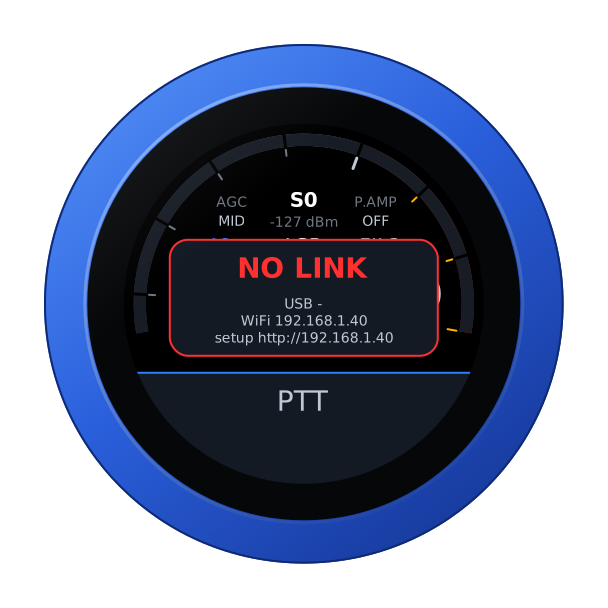
Up to four radios can be listed; In use is the one the knob starts with. Until the radio answers, the knob says so, with its own addresses:
The face
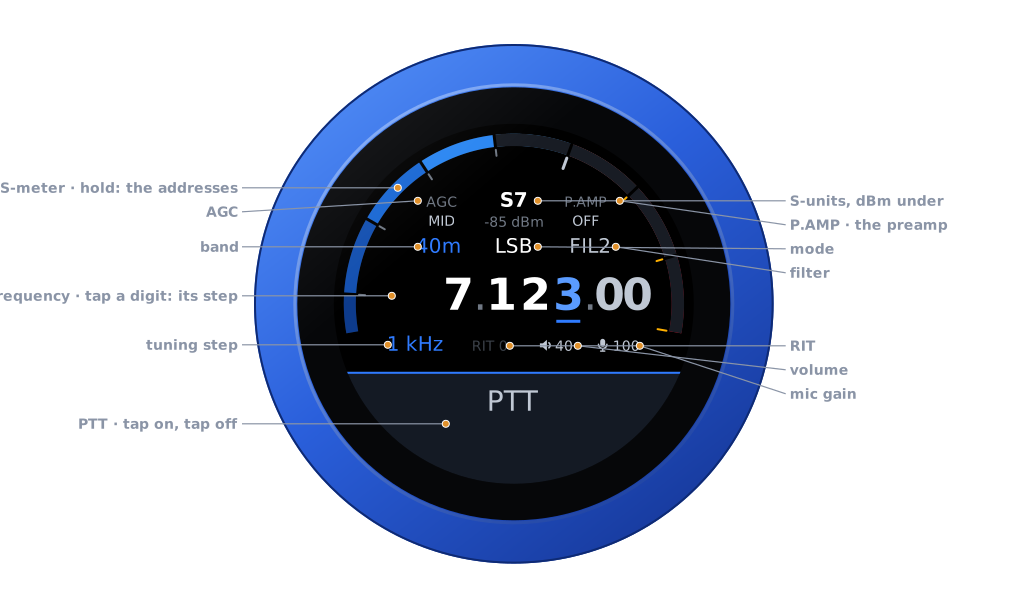
| Part | Tap | |
|---|---|---|
| S-meter | hold: the address card | S-units, peak held a second; dBm under the reading |
| AGC | the AGC editor | FAST, MID, SLOW |
| P.AMP | the preamp editor | OFF, 1, 2 — or ON where the band has only one |
| Band | the band editor | the band's own frequency, on a tap on the panel |
| Mode | the mode editor | USB, LSB, CW, CW-R, AM, FM, RTTY, DIGU, DIGL |
| Filter | the filter editor | the radio's FIL1, FIL2, FIL3 |
| Frequency | a digit: the tuning step | the underlined digit is the step |
| Step, RIT | RIT: its editor | RIT in amber when set |
| Volume, mic gain | their editors | the knob's own levels |
| PTT | key, and key off | see Transmitting |
Tuning
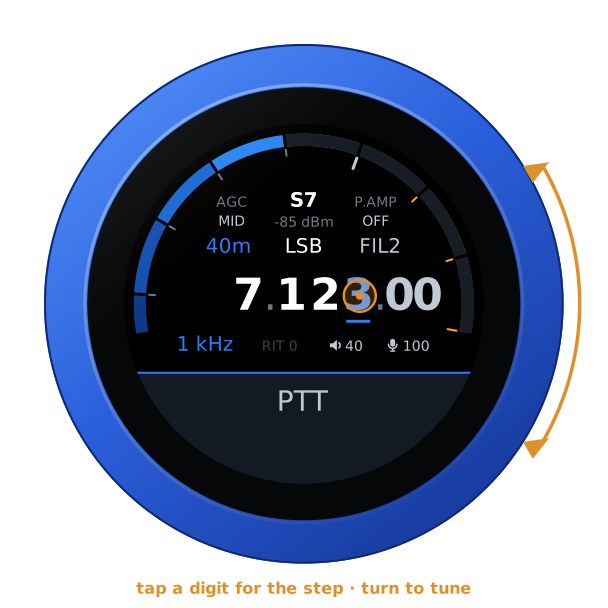
Turn the knob to tune: a slow turn moves a step at a time, a flick crosses a band. Tap a digit to tune by that decade.
Changing a setting
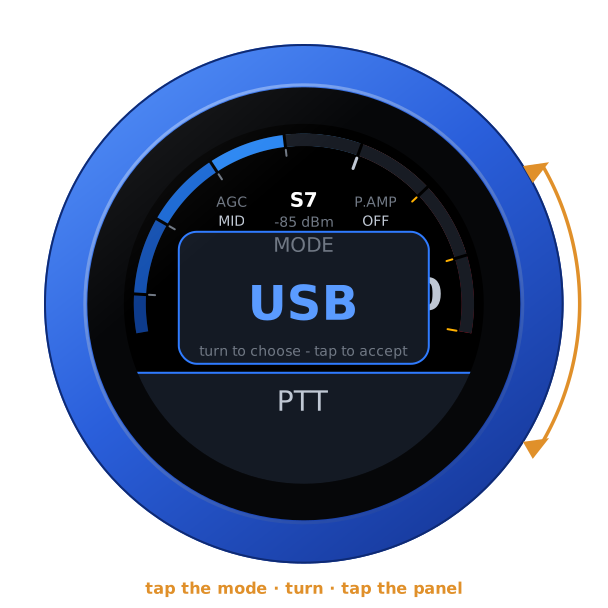
Tap a part of the face and its editor comes up; turn the knob to choose.
- Band and mode change on a tap on the panel; a tap anywhere else leaves them as they were.
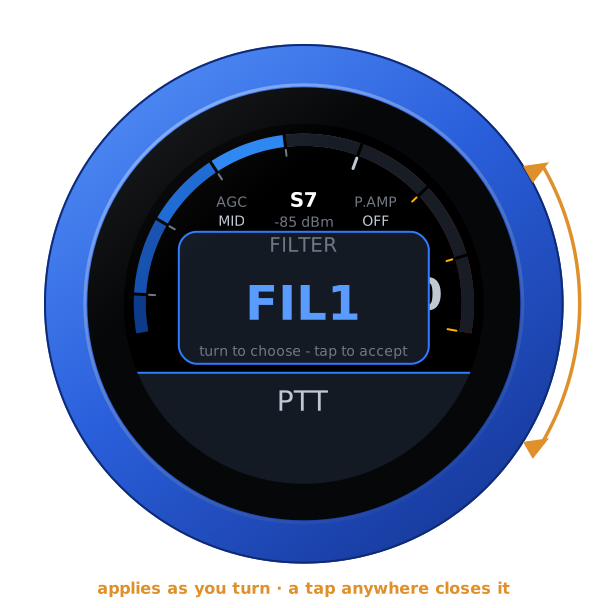
- Filter, AGC, preamp, RIT, volume and mic gain apply as you turn; any tap closes them.
| Mode: tap the panel | Filter: applies as you turn |
|---|---|
 |  |
Swipes
| Swipe | Opens |
|---|---|
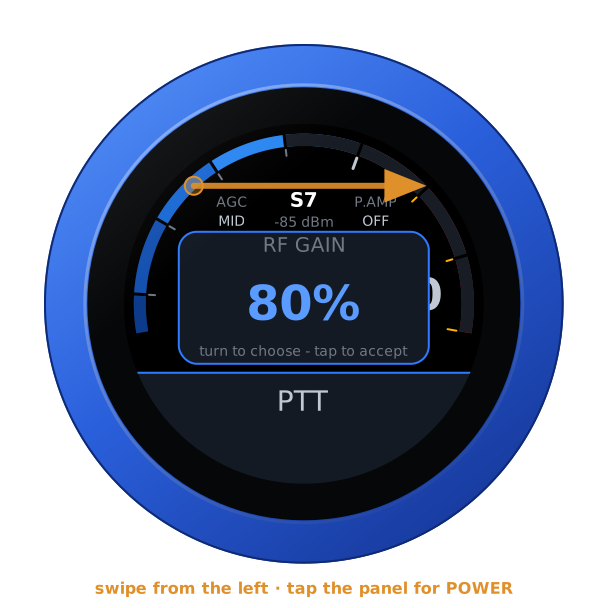
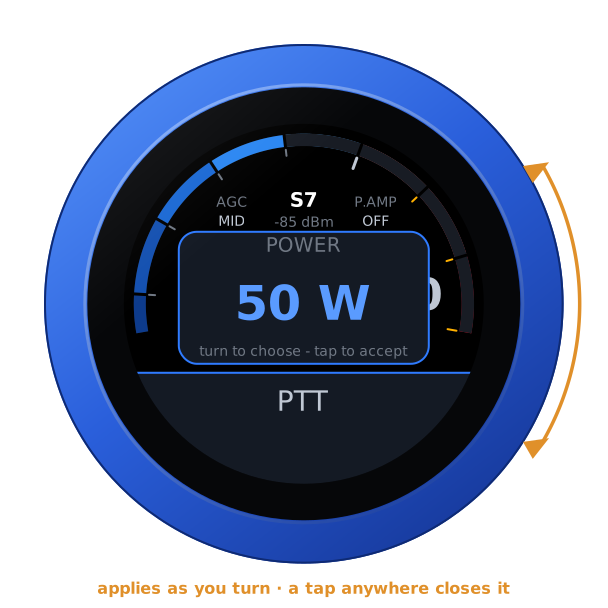
| From the left | RF GAIN, then — a tap on it — POWER, in watts. With a web SDR playing, BALANCE comes first |
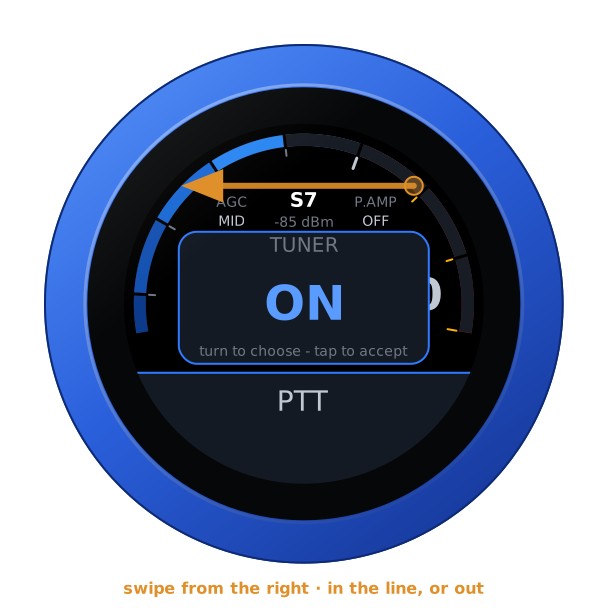
| From the right | the IC-7610's TUNER: in the line, or out |
| Down | RX — LOCAL or a web SDR — then, on the IC-7610, MAIN or SUB and the antenna; on the IC-705, V/M |
| Up | RADIO: another of the knob's radios |
RF gain, power and the tuner
Both levels apply as the knob turns, and a tap anywhere closes them. The tuner is only switched in or out: no tune cycle, nothing transmitted.
| RF GAIN | POWER | TUNER (IC-7610) |
|---|---|---|
 |  |  |
MAIN, SUB and the antennas (IC-7610)
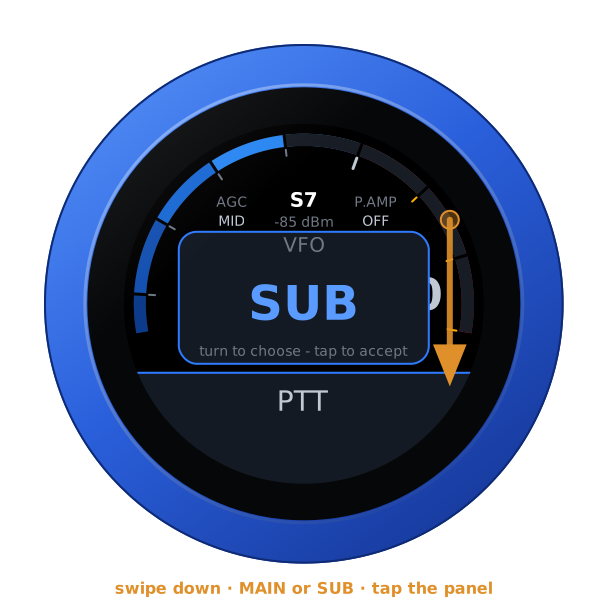
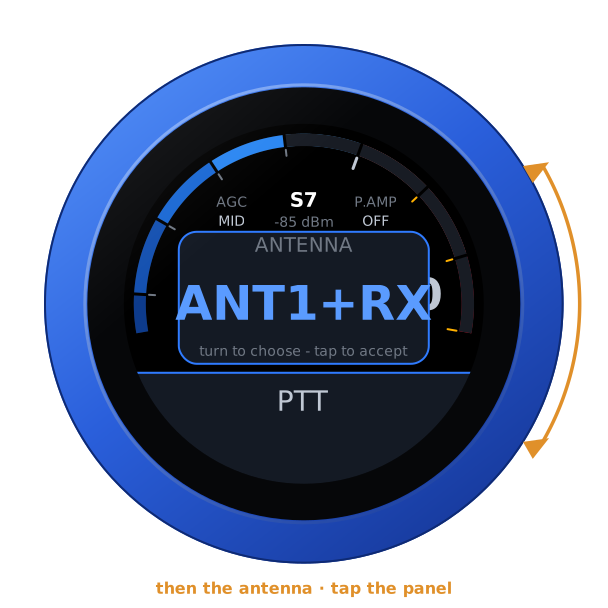
Swipe down, and after RX the IC-7610 offers its receiver and then its antenna: ANT1, ANT2, and each with its RX input. Each takes a tap on the panel. On SUB the knob does not key the radio: SUB only listens.
| VFO | ANTENNA |
|---|---|
 |  |
Memory mode (IC-705)
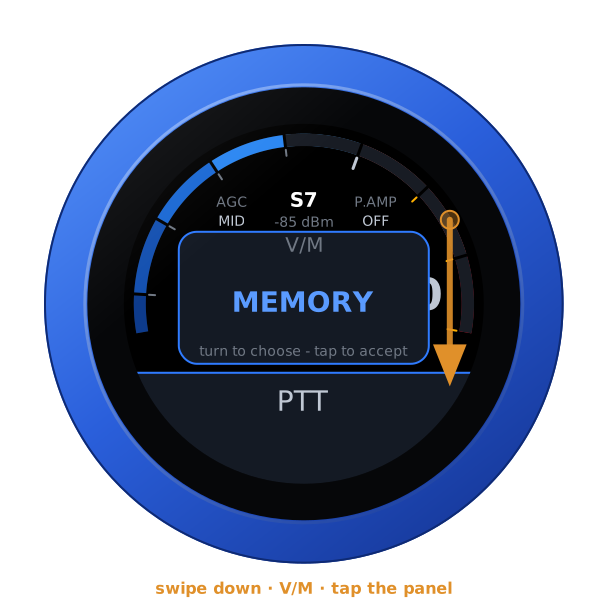
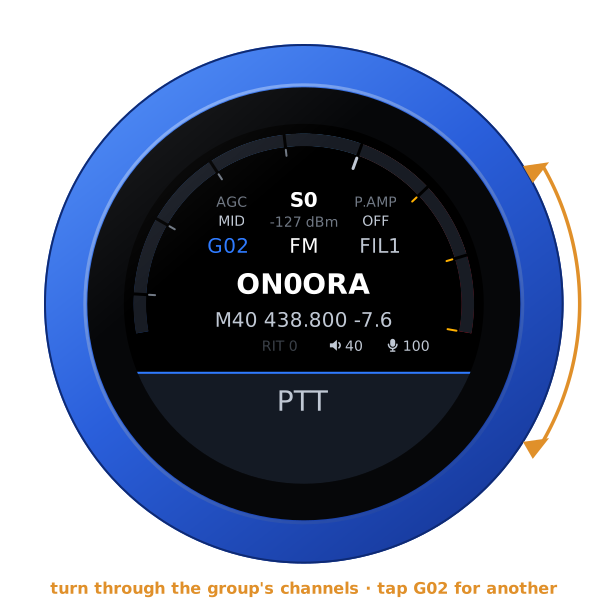
Swipe down to V/M and choose MEMORY: the frequency readout becomes the channel — its name, number, frequency, shift and tone — and the knob steps through the programmed channels of one group. Tap the group, where the band was, to choose another. VFO brings the VFO back, simplex.
| V/M | A channel |
|---|---|
 |  |
Another radio
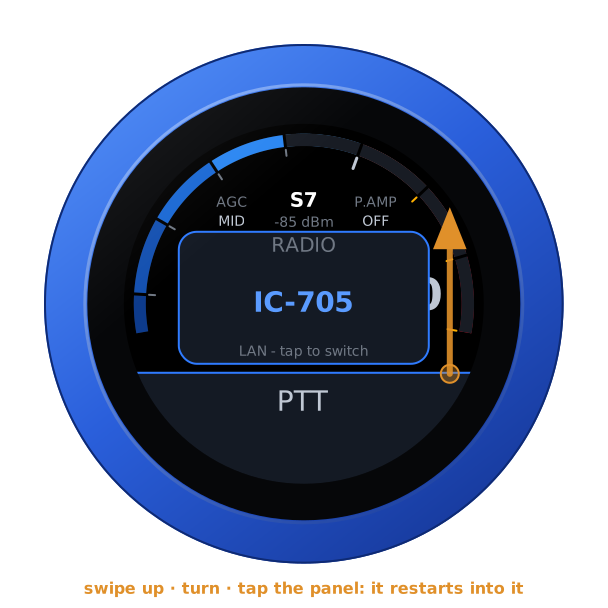
With more than one radio in the list, swipe up: turn to one, tap the panel, and the knob restarts into it — with or without a link to the one it leaves. Under the name, LAN says how it is reached.
A web SDR beside the radio
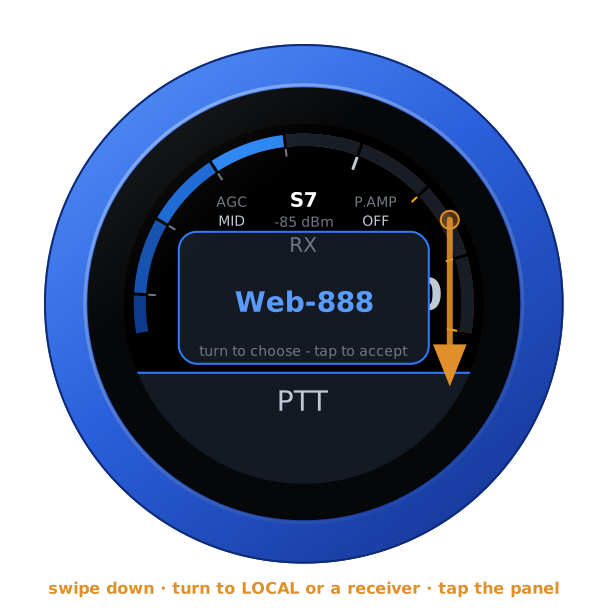
A KiwiSDR, a Web-888 or an UberSDR can play beside the radio, following its frequency, mode and passband. Add them under Web SDRs on the configuration page — each with a Test — then swipe down and choose one.
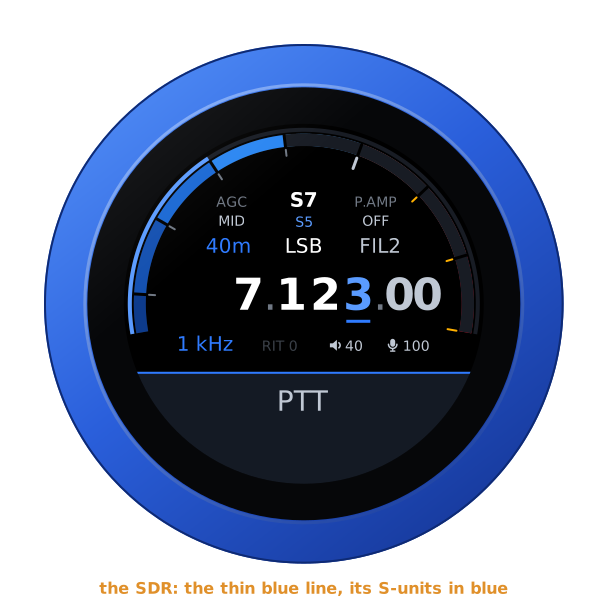
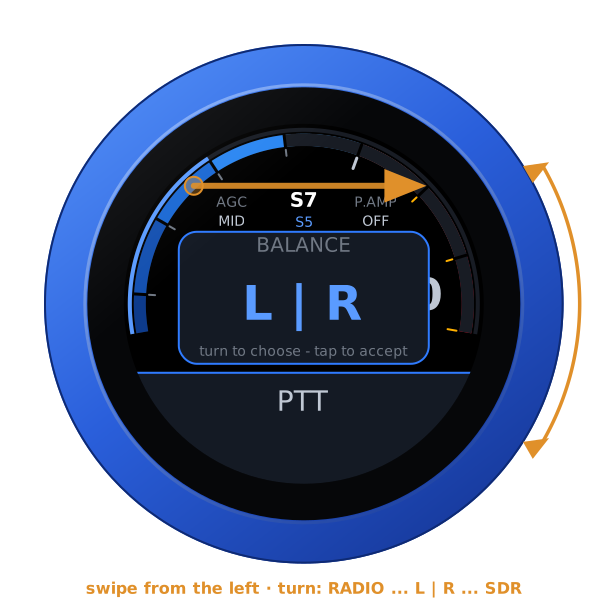
With one playing, the radio is in the left ear and the SDR in the right, both brought to the same loudness. The SDR's S-meter is the thin blue line outside the radio's, its reading the blue one under the radio's; BALANCE, first on the swipe from the left, fades from one to the other. The SDR is silent while you transmit.
| RX | Playing | BALANCE |
|---|---|---|
 |  |  |
Transmitting
PTT is a toggle: tap to key, tap again to unkey. It keys as the finger lifts from a tap — a swipe that starts on it never keys — and on the air a touch unkeys at once. The face turns red: SWR across the left half, forward power in watts across the right, the microphone on the thin inner ring.
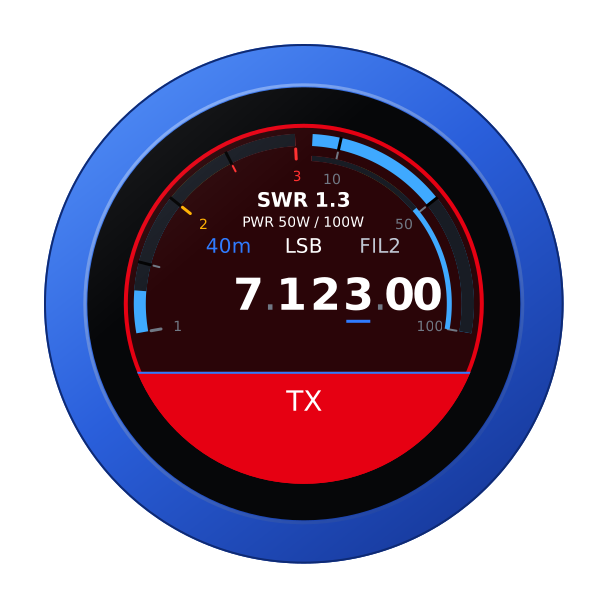
Nothing vibrates on the air — the motor sits beside the microphone and would be heard — and the radio's own transmit time-out is the backstop: set it.
From a computer
With the radio connected, the knob's page opens on the radio's controls, in its colours, and the same for other programs — a logbook reading the frequency, or anything setting it with a URL:
GET /api/radio                        the state, as JSON
GET /api/radio/set?freq=14074000      Hz, or MHz with a point (14.074)
    ...&mode=usb&filter=2&agc=mid&rfgain=80&power=50&tuner=on&rit=-120
Nothing there transmits, and no setting is taken while the radio is on the air.
Another firmware
Hold the S-meter for the address card, then hold it again for three seconds until the knob buzzes, and turn: see the setup guide.