
vfo-knob-kiwi
The Kiwi888 firmware
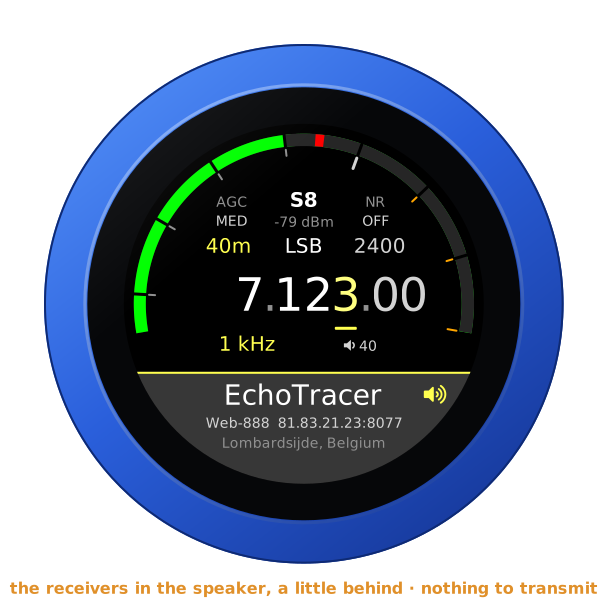
vfo-knob-kiwi makes the knob a dial for KiwiSDR and Web-888 web receivers:
no radio, no computer. A KiwiSDR and a Web-888 speak the same protocol, and
the knob talks it to them as their own apps do, and plays their audio on the
jack. Up to four receivers are on the knob at once, and another takes over
the moment you choose it, with no restart: four antennas a swipe apart. A
second one can play in the right ear beside the first, on the same
frequency: one antenna against another. It only receives, so there is no
PTT: the bottom of the face names the receiver you are listening to. The
face uses the receivers' own web page's look: black, its grey buttons, its
yellow highlight, its lime S-meter.
Tell the knob where the receivers are
Open the knob's configuration page: hold a finger on the S-meter until the
knob clicks, then browse to the address on the card. The user is admin and
the password admin until you change it. Under Receivers, add each one:
| Field | |
|---|---|
| In use | the one the knob plays, in the left ear; not the one in the right ear (see below) |
| Name, on the knob | what the dial calls it, up to 15 characters; left empty, the antenna the receiver names (EchoTracer), else its address: whole where it fits, else the start of the host, or, on an address another receiver shares, its end with the port (..83.21.23:8077) |
| Address | the receiver's own, with its port: host:8073 on most KiwiSDRs, 81.83.21.23:8077 for one of the four at Lombardsijde; or, for one behind the kiwisdr.com proxy or Cloudflare, its https:// link, pasted whole (see below) |
| Password | the receiver's own, where it has one |
| Time-limit password | where its owner gave you one: it lifts the receiver's time limits for you |
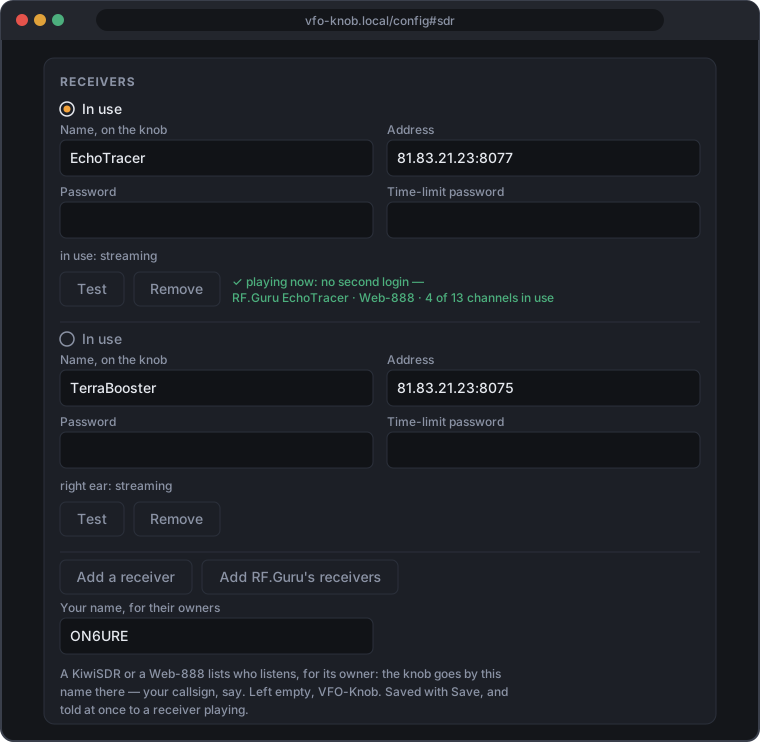
Up to four. Save stores them, and the knob takes them at once. Test logs in to one for a few seconds and says what it is, its antenna and whereabouts, and how many of its channels are in use; never to one at its day limit, nor to one playing in either ear. A receiver with no name yet gets the one it gives itself in its Name box: its antenna, else the first part of its own name. Save keeps it.
Many receivers are reached only over https now: one behind the kiwisdr.com
proxy (https://n0bqv.proxy.kiwisdr.com) or behind Cloudflare
(https://kiwisdr.on3rvh.be). Paste its link whole into Address: the
page keeps its https://, its name and its port, if it has one, and the
knob speaks to it over TLS, as a browser does, checking its certificate
against the authorities a browser trusts, for its name (not its dates). The
first connection to such a receiver takes a few seconds longer, the knob
doing TLS in software; the next ones to it — the session after its status, a
Test, the same receiver again after another — pick up where that one left
off and are quick, where the receiver's front allows that. Another receiver
chosen meanwhile is not held up for it: the knob lets go within about a
second, and the other ear plays on. An http:// link that the receiver
answers with a redirect to https on its own host is followed at once, and
kept: from then on the page shows its https:// link, and the knob goes
there straight. A redirect anywhere else is not followed: the face says
MOVED, and the page says where to (moved to …), for you to enter that
address if you trust it. A receiver whose certificate does not check out is
not spoken to at all: CERTIFICATE?.
Add RF.Guru's receivers fills in the four Web-888s at Lombardsijde, an
antenna each on one address: EchoTracer (81.83.21.23:8077), OctaLoop
(:8076), TerraBooster (:8075) and OctaLoop Mini (:8074). It logs in to
none of them; Save keeps them. It adds only those not in the list yet,
as far as four go.
Your name, for their owners is what each receiver's owner sees the knob as, in its list of who listens: your callsign, say. Left empty, the knob is VFO-Knob. Up to 31 characters, a letter like ë counting as two. One name for every receiver; a new one is told at once to the receiver playing.
Under each receiver the page says how it is: in use, and how that goes; right ear, for the one playing there; or what holds it back.
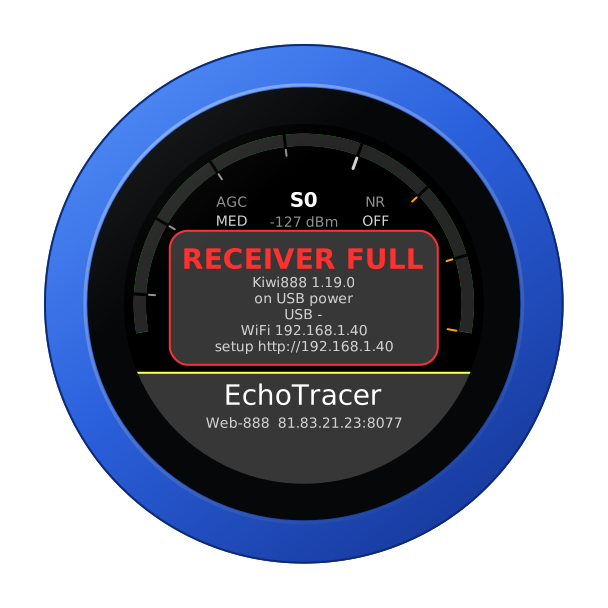
With no receiver yet, the knob says NO RECEIVER, with its own addresses so the page is easy to find. Until a receiver answers, the knob says why:
The face
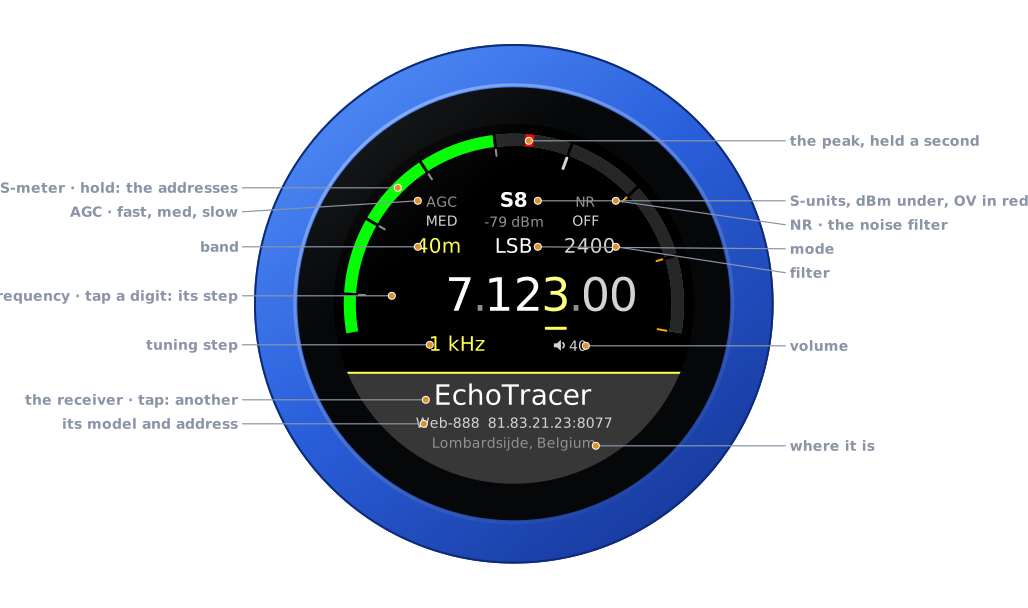
| Part | Tap | |
|---|---|---|
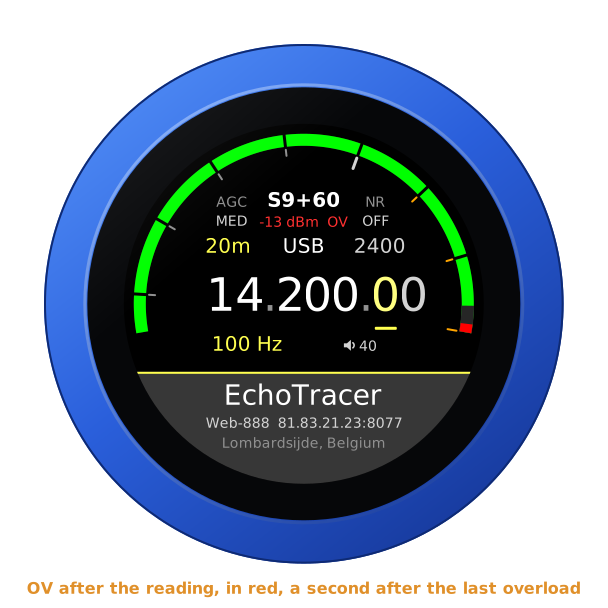
| S-meter | hold: the address card | S-units on the receivers' lime bar, the peak held a second as a red mark, as on their own page; the level in dBm under the reading, and OV after it, in red, while the receiver's ADC overloads. With a receiver in the right ear, its S-meter is the thin blue line outside, and its reading, in blue, takes the dBm's place |
| Battery | — | the knob's own, over the reading, while it runs on it: full to empty by the quarter, green from half its charge up, yellow under that, red at a fifth and below. None on USB power |
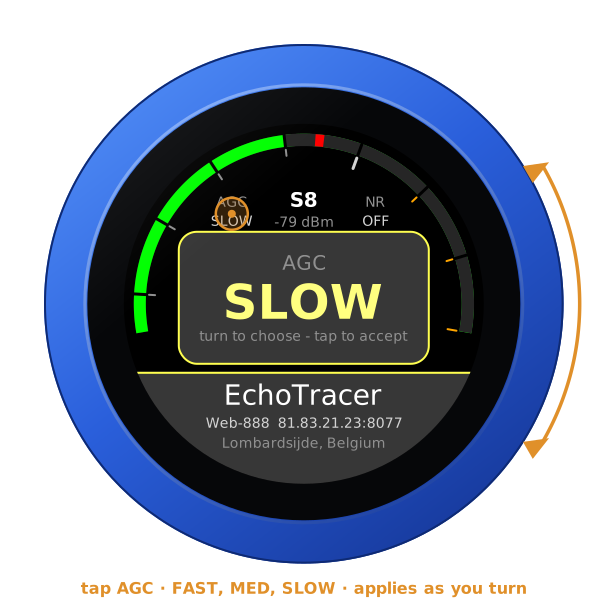
| AGC | the AGC | FAST, MED or SLOW: the decay of the receivers' own presets, a quarter, one and three seconds |
| NR | the noise filter | OFF, WDSP, LMS or SPEC: the receivers' own noise filters |
| Band | the band editor | 160 m to 10 m, and 6 m on a Web-888 |
| Mode | the mode editor | USB, LSB, CW, AM, SAM, SAL, SAU, NBFM: the receivers' own names |
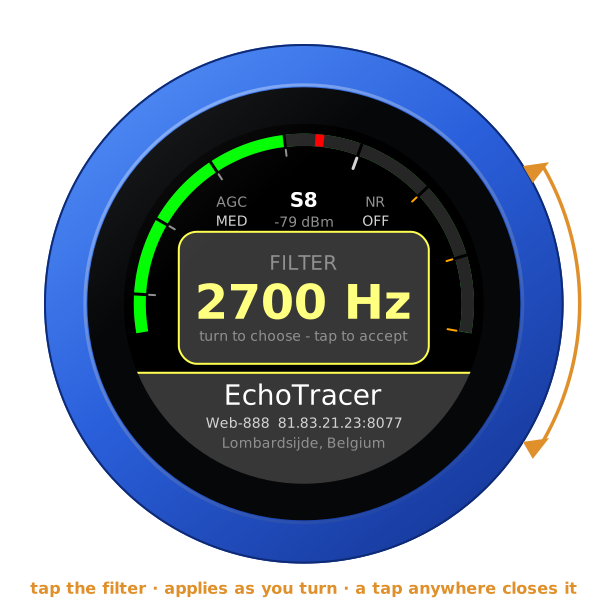
| Filter | the filter editor | its width, by mode |
| Frequency | a digit: the tuning step | the underlined digit is the step |
| Step, volume | volume: its editor | the knob's own level |
| The receiver | the receivers | its name; under it its antenna, or its model and address (the model alone where the name is the address); under that where it is, or connecting... |
A swipe up brings the other receivers; a swipe down, the right ear's; a swipe from the left, the balance between the two ears; a swipe from the right, the squelch.
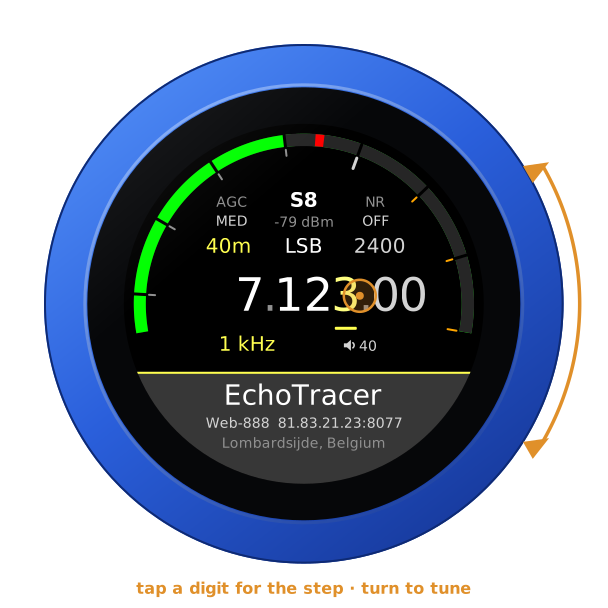
Turn the knob to tune: a slow turn moves a step at a time, a flick crosses a band. Band and mode change on a tap on the panel. The filter, the AGC, the noise filter, the squelch and the volume apply as you turn, and any tap closes them.
| Tune | AGC | The mode |
|---|---|---|
 |  | 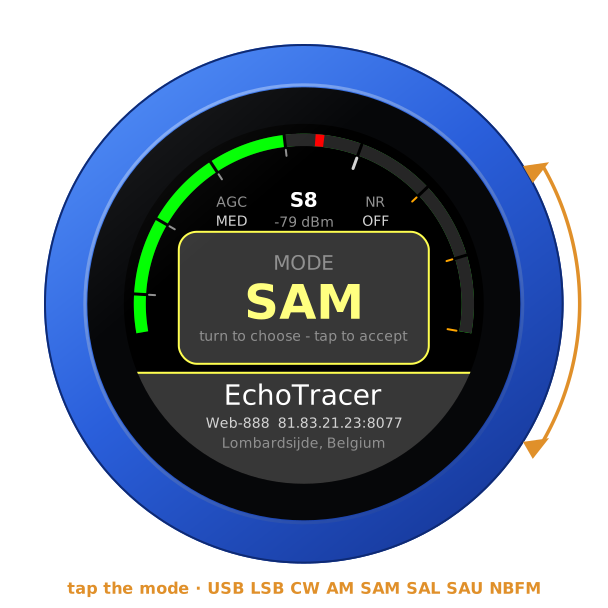 |
A band change puts a voice on its band's sideband: lower below 10 MHz, upper above and on 60 m. Off the amateur bands the mode stays as it is.
The filter's widths follow the mode, as the receivers' page has them: 1.8 to 3.6 kHz for a sideband, from 300 Hz off the carrier; 60 Hz to 1 kHz in CW; 5 to 12 kHz in AM and SAM; 2.5 to 6 kHz in SAL and SAU, AM's lower and upper sideband alone; 6 to 12 kHz in NBFM. In CW the station on the dial is heard at the receiver's own CW tone, as on its own page: 500 Hz, unless its owner set another, which the knob reads from the receiver and follows.
The S-meter is the receiver's own, in dBm: a Web-888 and a KiwiSDR each count it from their own reference, and the knob reads both right. When a strong signal overloads the receiver's ADC, its reading turns red with OV after it, for a second after the last overload, as its own page warns.
| The filter | OV |
|---|---|
 |  |
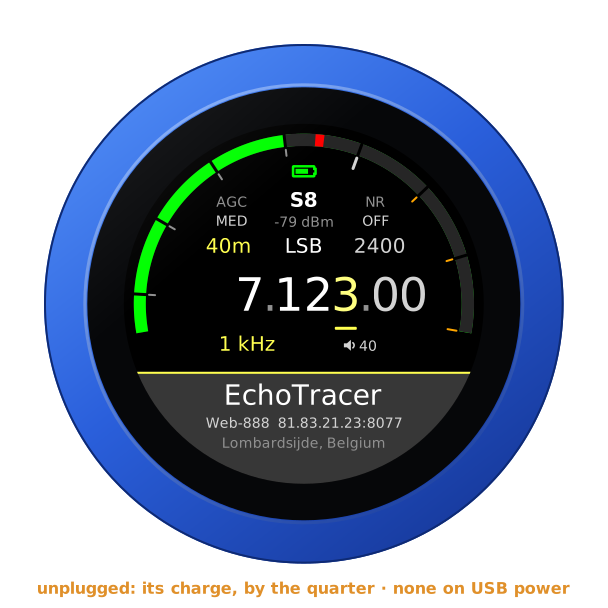
Unplugged, the knob runs on its own battery and shows its charge at the top of the arc, as a phone does — on every firmware's face. On USB power the charge cannot be read, and none shows. The address card says which: battery 85 %, or on USB power.
Noise filter and squelch
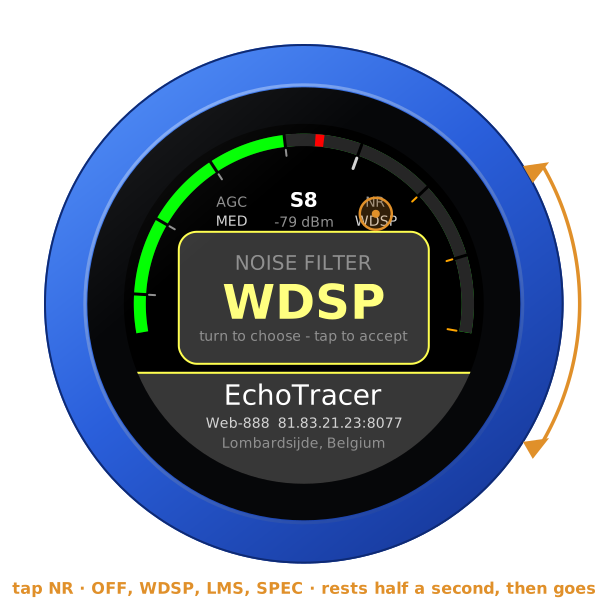
Tap NR, right of the S-meter, and turn: OFF, WDSP, LMS or SPEC (spectral), the receivers' own noise filters, with the settings their page starts them with. The knob asks for the one you rest on for half a second, so turning through them asks the receiver for nothing in between.
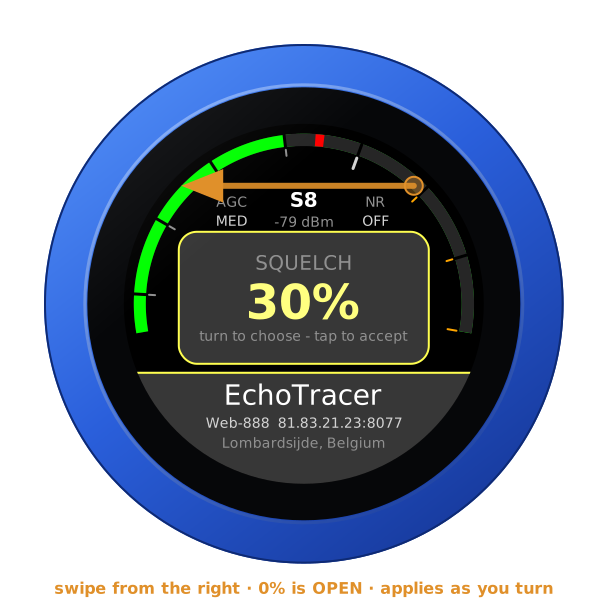
Swipe from the right for SQUELCH, 0 % OPEN. In NBFM it is the receiver's own squelch scale; in the other modes it is how far over the receiver's noise a signal must rise to open it, up to 40 dB at 100 %, with half a second of tail, as its page has it. Closed, the knob plays silence while the receiver goes on sending, so the sound is back the moment it opens. The knob starts with both as you left them.
| The noise filter | The squelch |
|---|---|
 |  |
Another receiver, at once
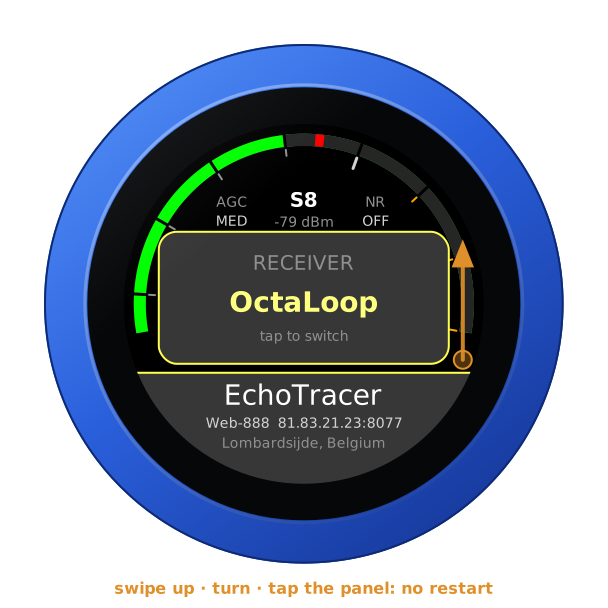
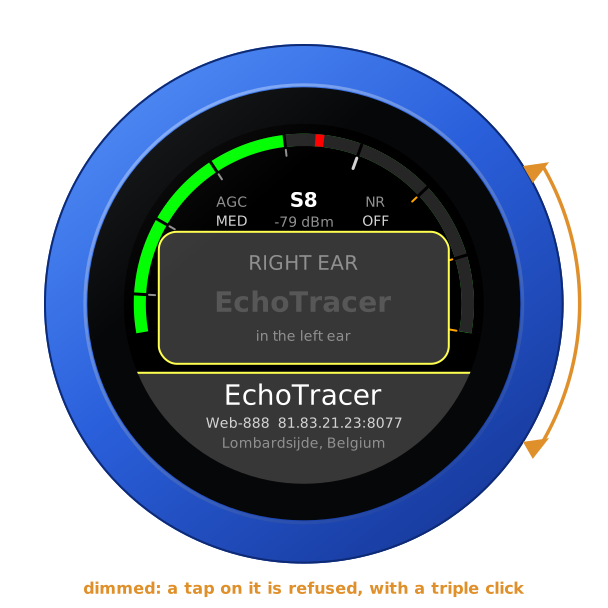
Swipe up, or tap the receiver's name at the bottom of the face: turn to another and tap the panel. Its audio comes within a second or two, and the dial stays where it was. Each goes by the name you gave it; without one, by the antenna its status page names, once the knob has read that, and until then by its address, with the port where another receiver shares it, so four receivers on one address stay apart. The configuration page's In use and the radio page's buttons do the same. Tapping the one in use chooses it again — with a single receiver too — which is how one held back by its owner's limits (see below) is asked for once more. The one in the right ear is shown dimmed, in the right ear, and a tap on it is refused with a triple click.
A receiver's answer to the knob's login is always waited for, up to ten seconds, before another takes over: that answer may be a refusal it has counted. Chosen in the middle of a login, the next receiver follows the answer.
Each receiver tunes as far as it says it does: a KiwiSDR to 30 MHz, a Web-888 to about 62 MHz. A dial beyond the new one's top comes down to it.
The knob starts on the receiver it last played, and on the dial, mode, filter and AGC it last had.
A second receiver, in the right ear
One antenna against another: a second receiver from the same list plays in the right ear, the one in use in the left, on the same frequency, mode and filter — the dial turns both. Swipe down for RIGHT EAR, turn to a receiver, and tap the panel; OFF ends it. Both are brought to the same loudness. The right ear's S-meter is the thin blue line outside the left ear's, its peak held on it, and its reading takes the place of the dBm under the S-units, in blue. BALANCE, a swipe from the left, fades from one ear to the other: LEFT the left ear's receiver alone, in both ears, L | R each in its own, RIGHT the right ear's alone.
The right ear takes the dial, the mode and the filter, and the left ear's AGC, noise filter and squelch too, so one antenna is heard against the other fairly: change one in the left ear and the right ear's receiver is told the same, at the same pace — the noise filter once it has rested half a second.
| RIGHT EAR | Playing | BALANCE |
|---|---|---|
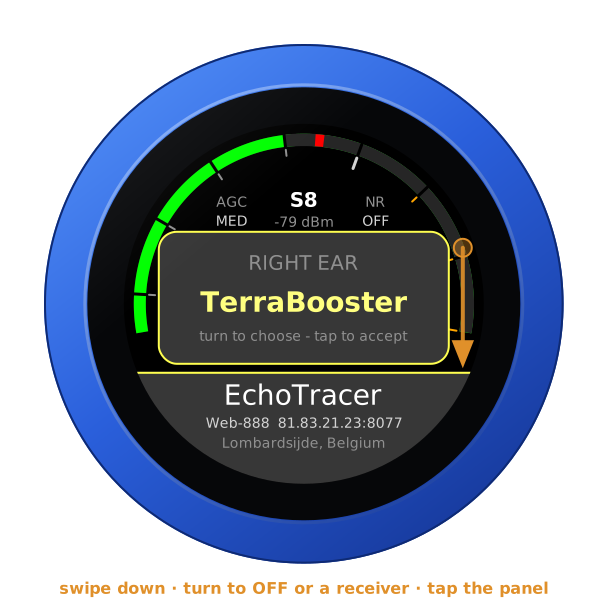 | 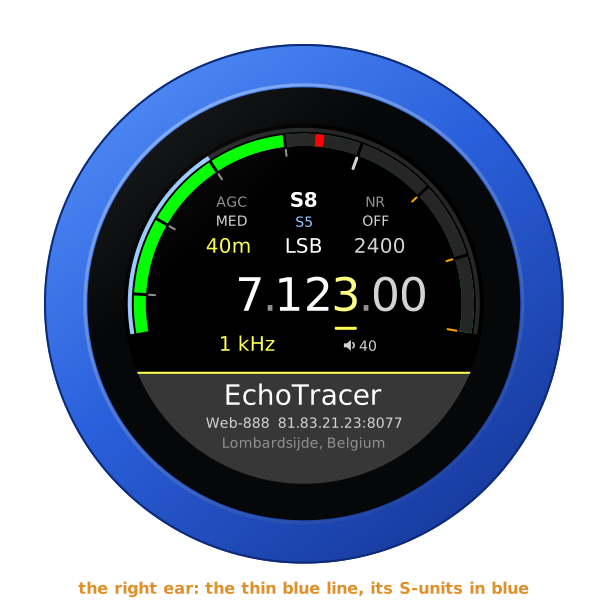 | 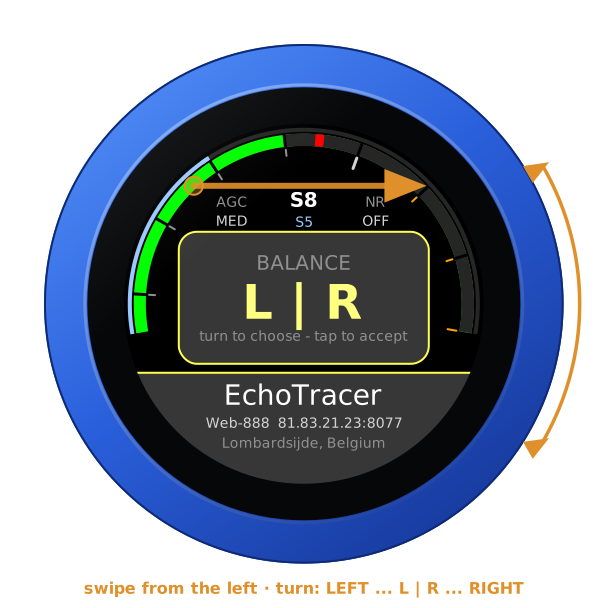 |
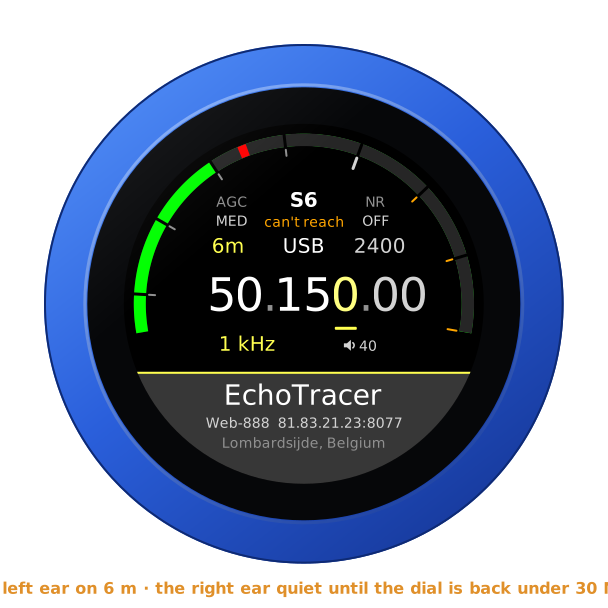
Each receiver hears only what it covers, and the dial is the left ear's: with the left ear on 6 m on a Web-888, a KiwiSDR in the right ear cannot follow. It goes quiet rather than play the top of its range: its thin line goes, and can't reach takes its reading's place, in amber. It stays logged in meanwhile, on the last frequency it could take — no new login, nothing sent at every turn of the dial — and plays again the moment the dial is back within its range, unless its owner's limit on idle listening has ended the session meanwhile (time up: choose it again). The radio page and the configuration page say what it covers: out of range: it covers 0-30 MHz.
One receiver is never in both ears: each is a session of its own with the receiver's owner, and two at once would be two channels. So each ear's chooser shows the other's receiver dimmed — in the left ear, in the right ear — and refuses it with a triple click; the pages and the API refuse it too. Turn the right ear to OFF, or to another, and the left ear may take its receiver, and the other way round. Should a list saved on the page give the left ear the right ear's receiver — its own gone from the list — the right ear lets go of it and waits, left ear under the S-units, until it is free again.
The right ear keeps its owners' limits as the left does: each receiver's own, a session at a time. A day-limit mark is the receiver's, whichever ear met it: refused at the right ear's login, it is held in the left as well, and the two ears together never take more than two such refusals from it. While its receiver connects, the right ear's place under the S-units shows dots; when it cannot be had, a word in amber — busy, day limit, time up and the rest, as the limits below have them — or can't reach, the dial beyond its range. The right ear's choice and the balance are kept through a restart.
Its audio
A receiver sends its audio a sixth of a second at a time, and the knob keeps a quarter of a second in hand, so the unevenness of the internet goes unheard. The receiver's clock and the knob's never quite agree: the knob follows the receiver's, playing a hair faster or slower — two thousandths at most, far too little to hear — so that quarter second stays as it is for hours. When the network holds the stream up longer than the quarter second in hand, the sound stops; when it then hands the held-up audio over — all at once, or at least twice as fast as it plays, as a connection catching up does — the knob leaves out what is late by now, where the sound had stopped anyway, and plays on from the live point: one break, rather than lagging behind for the rest of the session or breaking the sound up. Audio handed over more slowly than that is played as it comes, and cut back to the quarter second each time it would fill the knob's buffer: a jump every few seconds until the network has caught up.
Where the network keeps breaking the stream up — a short stall every few seconds — the knob keeps more in hand. A second break within two minutes of the first, and it holds as much as that stall held up, with a little to spare, up to 0.7 s: that stall's audio is played, not left out, and the stalls after it are ridden out, with no break. Once the stream has been calm for three minutes, it eases back, a twelfth of a second every half minute, to the quarter second, the audio playing a hair faster meanwhile: never a cut. More delay only while the network is bad. A short stall every 8 s, for two minutes, was 14 breaks; it is 2. The right ear does the same with its own receiver's stream.
Every 30 seconds its log says how the audio came: what the knob holds and
what it is keeping it at (ring 251 ms of 256), the trim, the frames, any
the receiver let go or the network held up, the breaks, and any jump. The
right ear's line comes under sdr:.
The receivers' limits
A KiwiSDR or a Web-888 has an owner, who sets how many listen at once, how many of those may be apps such as the knob, and often how long anyone may listen. The knob keeps to all of it.
Day limit. Many receivers allow each address so many minutes a day. Once they are used up, the receiver turns the login away, and it counts each such refusal: at the fifth it bars the address for good, every browser behind it too. So the knob takes no chances. A receiver that says day limit is marked, and the mark outlives a restart: the knob never logs in to it again on its own — not at boot, not when the list is saved, not to retry. Choosing it again yourself (the swipe up, a tap on its name, the page's In use, the API) is one more try, and the knob takes two such refusals from a receiver at most. A receiver with time limits that leaves the knob's login unanswered — ten seconds of silence, or a connection that fails — counts as one too, as its answer may have been such a refusal: the face says what it saw, NO ANSWER or APPS FULL, and the receiver waits to be chosen. The mark lifts when the receiver's own status shows its count was cleared: a Web-888 clears it only when it restarts, a KiwiSDR also once a day. When its owner takes the time limits away, or a session plays for ten seconds — a time-limit password lets it in — the knob lets the receiver go, but its refusals stay counted, as the receiver keeps them until it restarts: should it refuse again, the knob has no more tries than it had. Test never logs in to a receiver with a mark, nor beside the knob's own login to one: while the knob connects to a receiver, its Test answers from that, and the knob waits for a Test's answer before its own login. A refusal a Test met holds the receiver as any does, even one chosen a moment before: only choosing it again, after, is a try.
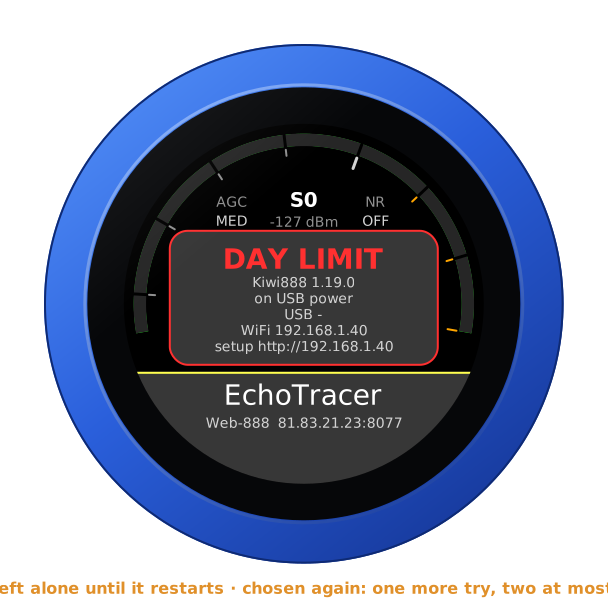
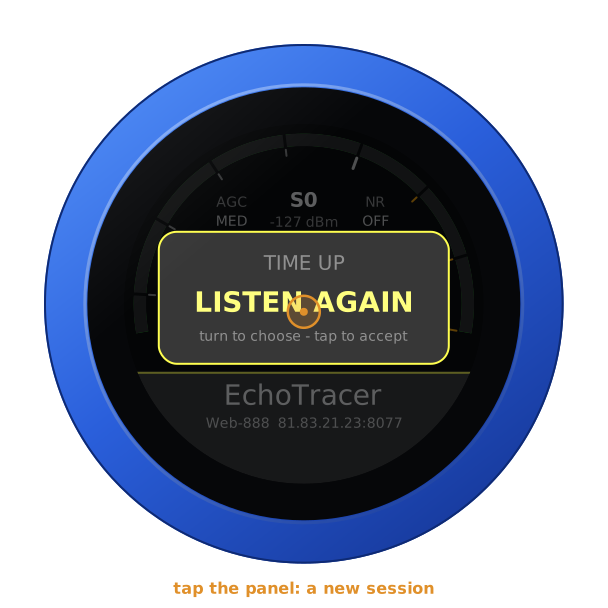
Time up and kicked. A receiver may end a session nobody used, and its owner may send a listener away. Turning the knob or touching the glass counts as listening: the knob tells the receiver so, a minute apart at most, as the receiver's own page does, and tuning tells it by itself. A knob nobody touches says nothing, and the owner's idle limit holds. When a session ends so, the knob does not come back by itself: it asks LISTEN AGAIN, and a tap on the panel starts a new session. In the right ear it asks nothing: time up or kicked under the S-units, and choosing the receiver again — swipe down, tap it — starts a new session.
Apps full. A KiwiSDR keeps some of its channels for apps, and when those are taken it takes a new one's connection and then says nothing at all. The knob says APPS FULL after ten seconds of that silence and asks again two minutes later; after the third time it says NO APPS and waits to be chosen again. A KiwiSDR with time limits gets no second ask of the knob's own: its silence could be a day limit's refusal whose answer was lost, so it counts as one, as above. A KiwiSDR whose status says it lets no apps in at all is NO APPS without a connection.
The rest. RECEIVER FULL is asked again after 30 s, then every minute. REFUSED (the receiver will not talk to this address) waits until you choose it again; PASSWORD?, NOT A KIWI, MOVED (a redirect elsewhere) and CERTIFICATE? (an https receiver whose certificate does not check out) also until the list is saved. NO ANSWER, and a session that went quiet, are tried again after 2, 5, 10, 30 and then 60 s, back to 2 s once a session has played half a minute. On its own the knob tries one receiver at most six times in ten minutes, then says TRY LATER; tries that never reached it — the WiFi gone, say — do not count, and choosing it yourself is always tried at once.
Memory full. The knob keeps its marks in its settings memory. When that has filled up — a knob switched through many firmwares — a mark would not outlive a restart, so the knob logs in on its own to no receiver with time limits: the face says MEMORY FULL, and choosing the receiver yourself logs in.
After crashes. A knob that crashes or browns out again and again, each time soon after it started, would otherwise read a receiver's status and log in at every start. From the second such start in a row it waits before it contacts the receiver on its own — half a minute, then longer each time, ten minutes at most — and says TRY LATER; choosing the receiver goes at once. After any crash, what held a receiver back still holds it: one that timed the knob out or kicked it asks LISTEN AGAIN, one that refused it waits to be chosen. A power-on starts afresh.
The knob reads a receiver's status page once a boot, before its first session — once between the two ears — and seldom after: owners drop an address that polls it. While it connects, the face says connecting... under the receiver's name, and shows no warning.
From a computer
With a receiver playing, the knob's page opens on its controls: the band, the mode, the filter and the AGC, a button for each receiver, and the right ear's own buttons with the balance. The same works for other programs:
GET /api/radio                          the state, as JSON, the receiver's own say with it,
                                        the right ear's under "sdr": "right", with the
                                        "range" its receiver covers, Hz
GET /api/radio/set?freq=14074000        Hz, or MHz with a point (14.074)
    ...&mode=sam&agc=slow&lo=-4900&hi=4900
    ...&gain=1&squelch=30               the noise filter (0 off, 1 WDSP, 2 LMS, 3 SPEC),
                                        the squelch (0-100 %, 0 open)
GET /api/radio/set?receiver=1           another receiver, by its place from 0: at once,
                                        even while the one in use is down
GET /api/radio/set?sdr=2&balance=0      the right ear: off, or a receiver by its place
                                        from 0; the balance, -100 the left ear's alone,
                                        0 each in its own, 100 the right ear's alone
lo and hi are the passband around the dial, in Hz. receiver= and
sdr= are choices like the ones on the dial: of a receiver at its day
limit, one of its tries; of the other ear's receiver, refused (409); of a
place not in the list, said so (400), and nothing of the request done. The
page has the noise filter's buttons and a squelch slider, and OV after
the reading while the receiver's ADC overloads.
GET /api/sdr lists the receivers, each with "tls": true where it is
spoken to over https; POST /api/sdr saves the list as the configuration
page does, each address as the page takes it — host:port, or an http://
or https:// link whole.
A Bluetooth headset
A Bluetooth headset plays the receiver; there is nothing to transmit, so its button and microphone are left alone. A headset's audio is one channel: with a second receiver in the right ear it hears the two together, and BALANCE turns it to either. Only its logo shows, at the right end of the slab — and its battery beside it, green, yellow or red, where the headset reports it (its battery). A receiver's name too long to stay centred clear of them moves aside, and only one too long for the room left ends in dots. Pairing: the headset guide.
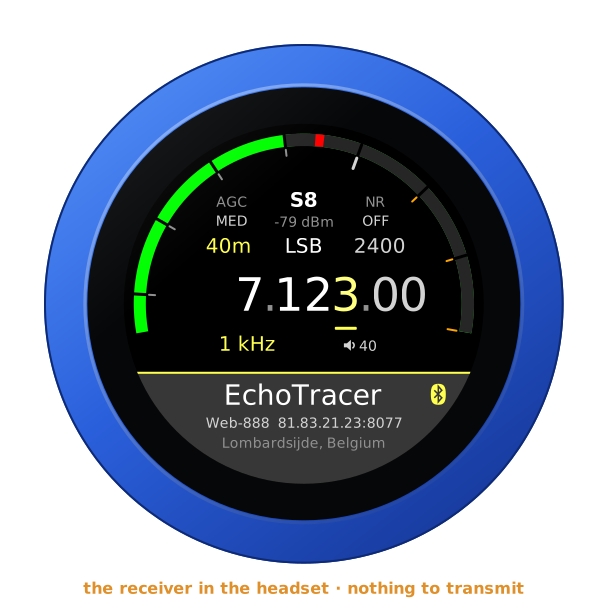
A Bluetooth speaker plays the receivers the same way, a fifth of a second or so behind the jack — the two ears together in both its channels, as a headset hears them — with a speaker beside the name, and its battery beside that where it reports one. Until its own Level is set it is sent a quarter of the level, 12 dB less: a quarter of full level where its own volume is the knob's VOLUME, a quarter of the jack's where it keeps its own — it is a loudspeaker, not earphones: A Bluetooth speaker. Each speaker, and each headset, has its own Level on the configuration page, 24 dB down to 12 dB up, kept for it: its level.
Another firmware
Hold the S-meter for the address card, then hold it again for three seconds until the knob buzzes, and turn: see the setup guide.