
vfo-knob-openx6x00
The OpenX6X00 firmware
vfo-knob-openx6x00 is a dial for a Xiegu X6100 or X6200 running
OpenX6X00, the radios' open firmware.
It talks to the radio itself over WiFi, through the radio's TCI server,
with no computer in between. Tune on the radio and the knob follows. Turn the
knob and the radio moves. The radio's audio plays on the knob's jack, and the
knob's microphone goes back to the radio. Its face wears OpenX6X00's RF.Guru
colours: near-black, gold for what is on, and power in blue.
The pictures are the knob's own screens. The orange marks show what your hand does.
First run
- On the radio, the TCI server is on by default. Check it under
Settings → General → TCI SERVER, or under System → TCI on the radio's
web page,
http://x6100.local/(an X6200's:http://x6200.local/). Its port is 50001. - Put the knob on the same network as the radio: see the setup guide. From the setup firmware's list, choose OpenX6X00.
- The knob looks for the radio as
x6100.local, the name OpenX6X00 announces for an X6100 on the LAN. An X6200 announcesx6200.local: whenx6100.localdoes not answer, the knob asks for that one too, and the other way round. So either radio on its default name needs nothing set, and the dial calls an X6200 found this wayx6200.local. When its IP address changes, the knob finds it again by that name.
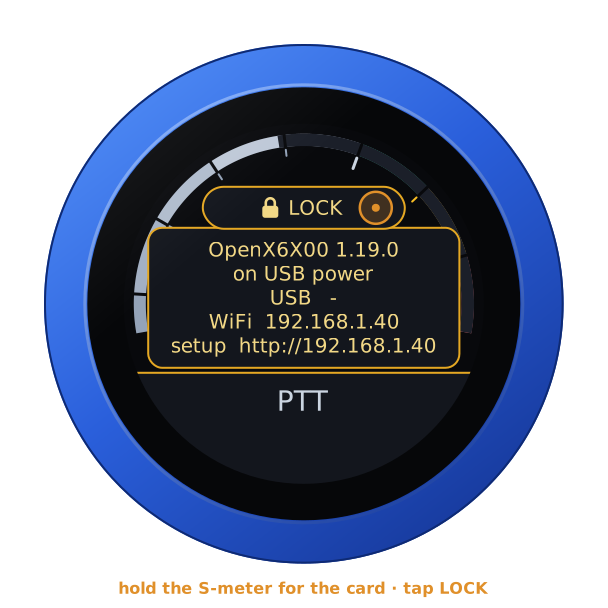
To open the configuration page, hold the S-meter for the address card. It
shows the knob's WiFi address: open that address in a browser. The user is
admin and the password admin. The page first asks for a password of the
knob's own, 8 to 32 characters, and shows nothing else until it has one, since
the knob can key a transmitter; your browser then asks for the new one.
If you renamed the radio (Settings → Wireless → NETWORK NAME in
OpenX6X00), give the knob that name followed by .local, or the radio's IP
address. Up to four radios can be listed, each with a name for the dial.
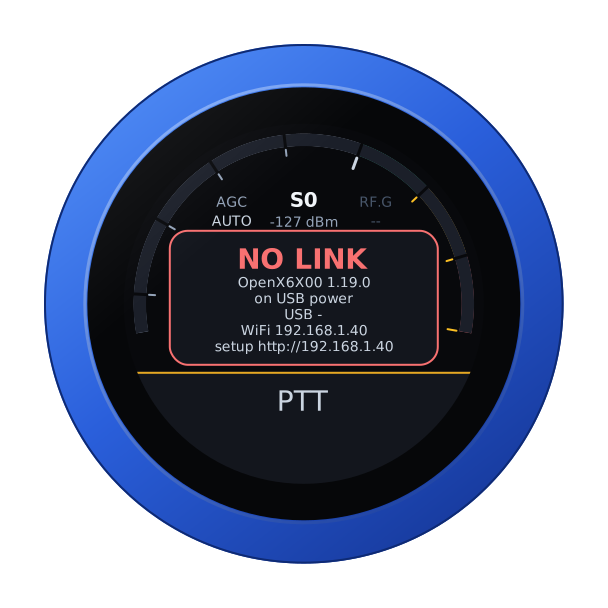
Until the radio answers, the knob says so, with its addresses. Check that the radio is on, on the same network, and has its TCI server on.
The face
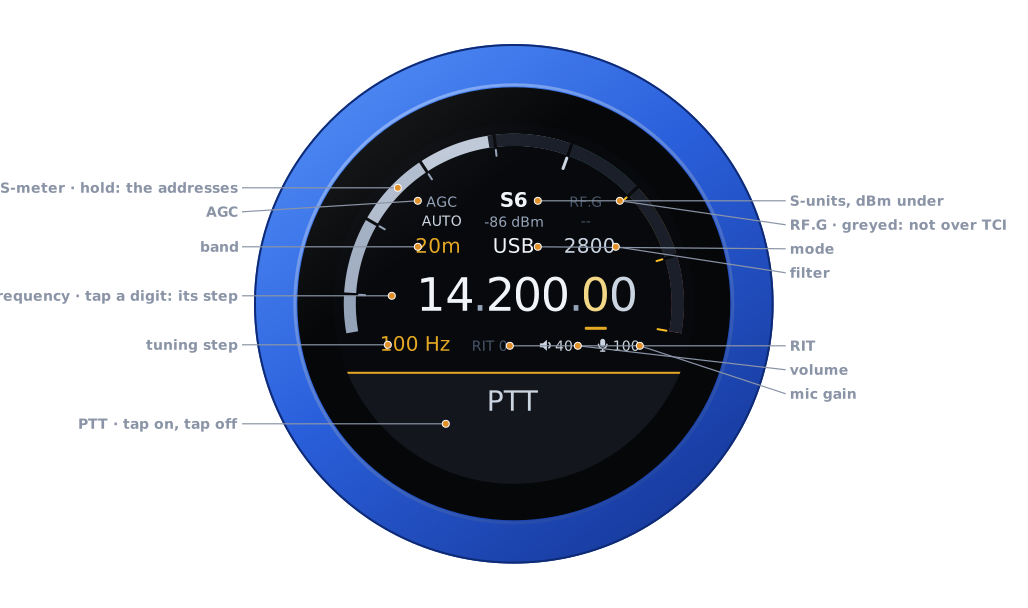
| Part | Tap | |
|---|---|---|
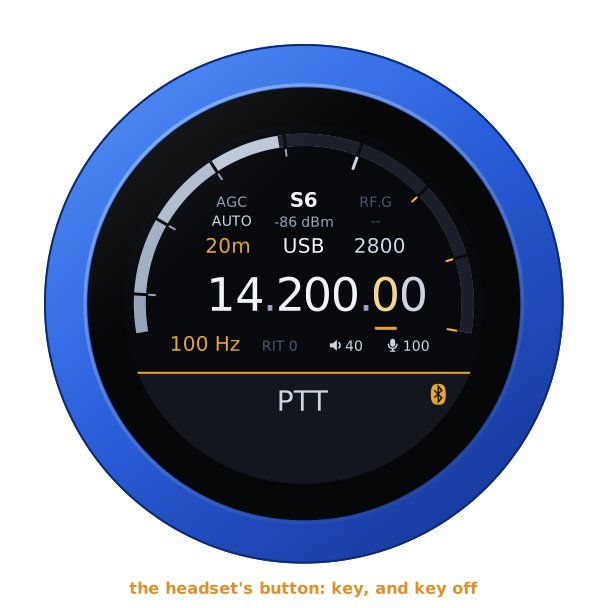
| S-meter | hold: the address card, and LOCK | S-units, peak held a second; dBm under the reading |
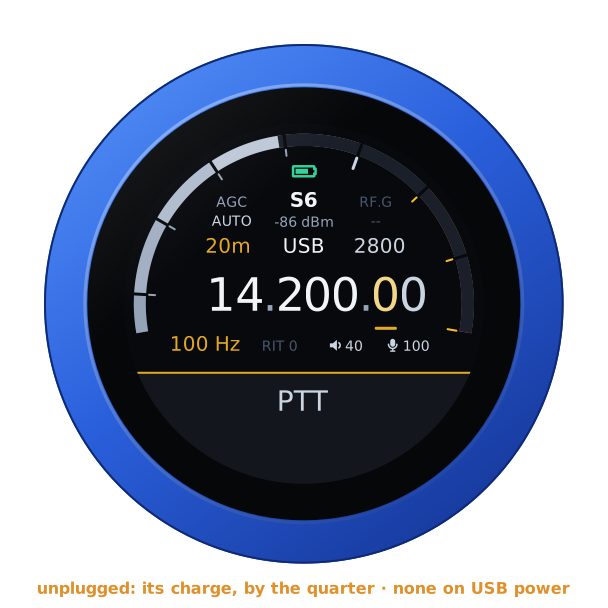
| Battery | — | the knob's own, over the reading, while it runs on it: full to empty by the quarter, green from half its charge up, yellow under that, red at a fifth and below. None on USB power, nor on the air |
| AGC | the AGC editor | AUTO, FAST, SLOW, OFF |
| RF.G | — | greyed: TCI does not carry the RF gain |
| Band | the band editor | the band's own frequency, on a tap on the panel; on an X6200 also FM and AIR, see On an X6200 |
| Mode | the mode editor | USB, LSB, CW, CW-R, AM, NFM, DIGU, DIGL; on an X6200 also SAM and WFM |
| Filter | the filter editor | its width, on the side of the carrier the mode uses |
| Frequency | a digit: the tuning step | the underlined digit is the step |
| Step, RIT | RIT: its editor | RIT in amber when set |
| Volume, mic gain | their editors | the knob's own levels |
| PTT | key, and key off | see Transmitting |
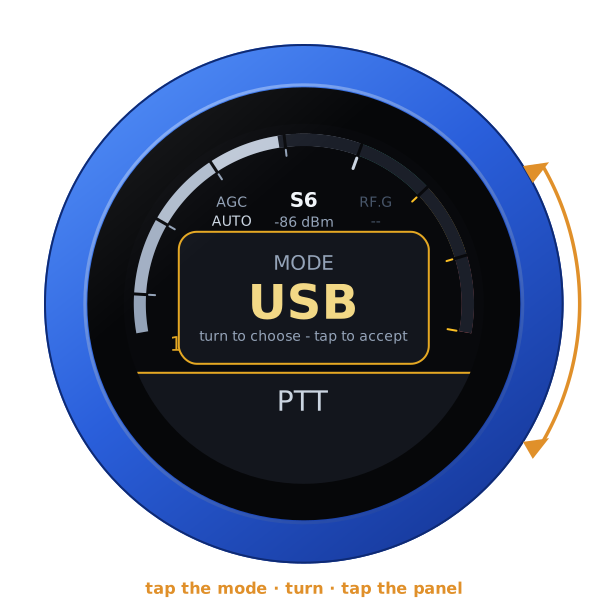
Turn the knob to tune: a slow turn moves a step at a time, and a flick crosses a band. Band and mode change on a tap on the panel. Filter, AGC, RIT, volume and mic gain apply as you turn, and any tap closes them.
Unplugged, the knob runs on its own battery and shows its charge at the top of the arc, as a phone does. On USB power the charge cannot be read, and none shows. The address card says which: battery 85 %, or on USB power.
On an X6200
The knob tells the two radios apart by their modes: an X6200's TCI server offers two more, and the knob offers them too.
- Modes: SAM, synchronous AM, after AM, and WFM, wide FM, after NFM.
- Bands: after 6 m, FM, FM broadcast from 100 MHz, and AIR, the airband from 118 MHz. The radio opens them in the mode it keeps for each, WFM and AM at first.
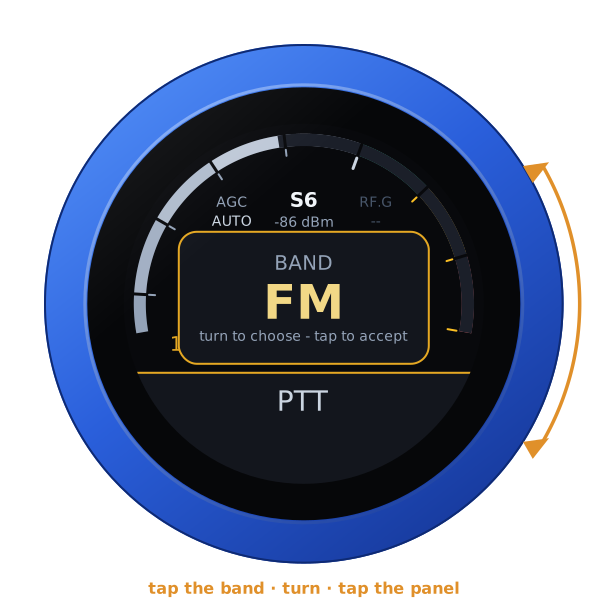
FM broadcast and the airband are receive only. A key there is refused by the radio, which says so on its screen. The knob unkeys and buzzes the refusal.
The knob tunes wherever OpenX6X00 does: HF and 6 m, a transverter's band set on the radio, an X6200's FM broadcast and airband, and the WR12's range when it is set on the radio. Turned where the radio does not tune, the dial comes back.
Another radio
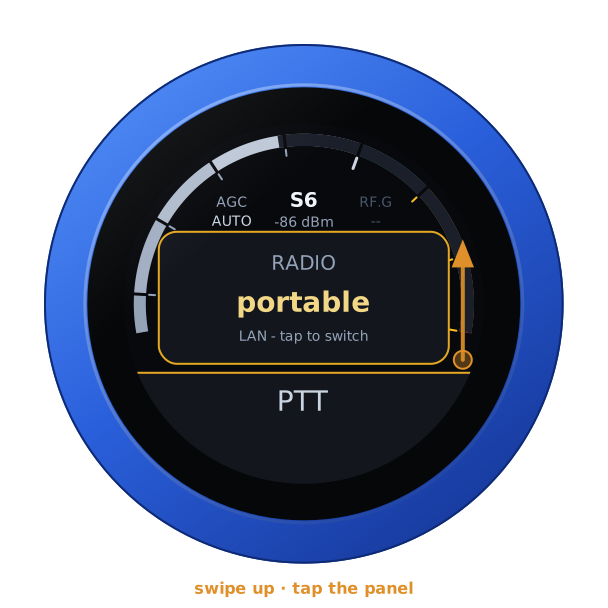
With more than one radio listed, swipe up, turn to one, and tap the panel. The knob then restarts into that radio.
Transmitting
PTT is a toggle: tap to key, tap again to unkey. It keys as the finger lifts from a tap, so a swipe that starts on it never keys. On the air, a touch unkeys at once.
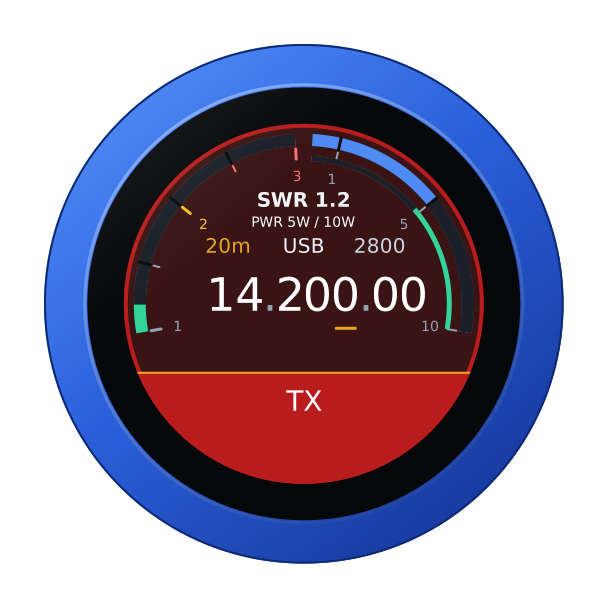
The knob's microphone is the radio's microphone while you are keyed. Its audio goes to the radio over TCI. The face turns to transmit:
- SWR across the left half;
- forward power across the right, on the radio's 10 W scale;
- the knob's microphone level on the thin inner ring.
The radio guards the transmitter itself, even if the knob or the WiFi fails. It unkeys:
- after half a second without the knob's audio;
- when the knob's link drops;
- after three minutes on the air.
A Bluetooth headset
A Bluetooth headset can be the knob's ear and microphone, and its call button the PTT: a press keys, the next unkeys. The slab keeps PTT, with the headset's logo at its right end. The logo is red while the headset has its microphone muted: then neither its button nor the slab keys. The knob's own microphone is off while the headset is connected. The headset's battery shows beside the logo in green, yellow or red, where the headset reports it (its battery). For pairing, the companion firmware and using the boom arm as the PTT, see the headset guide.
A Bluetooth speaker plays the knob's audio along with the jack, and you transmit with the knob's own microphone: see the guide.
Locking the knob
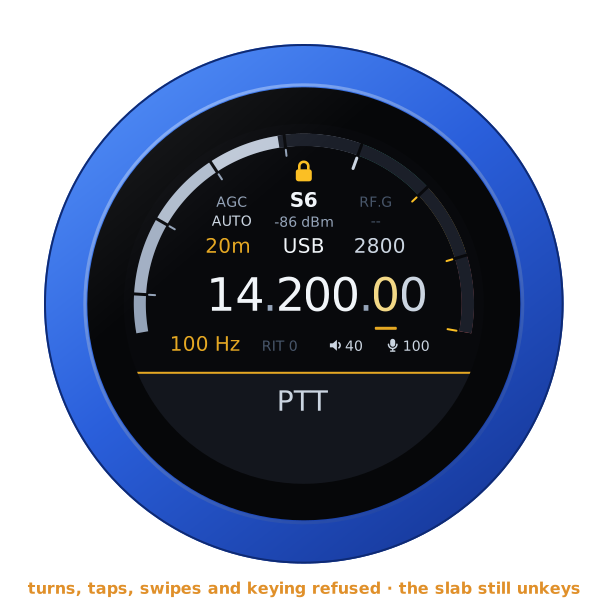
Hold the S-meter for the address card, let go, and tap LOCK, which has come up over the S-meter. A padlock shows at the top of the arc. A turn tunes nothing, a tap or a swipe opens nothing, and nothing keys: not the slab, nor a headset's button or its boom arm. Unkeying is never locked: on the air, a tap on the slab or the headset's button still unkeys. The padlock goes red for a moment when it refuses something. A question the knob asks still takes its answer.
To unlock, hold the S-meter again and tap UNLOCK. With no link it is over the warning. A restart unlocks too.
| The card's LOCK | Locked |
|---|---|
 |  |
Another firmware
Hold the S-meter for the address card. Then hold it again for three seconds, until the knob buzzes, and turn: see the setup guide.