
vfo-knob-aethersdr
The AetherSDR firmware
vfo-knob-aethersdr is a dial for AetherSDR,
talking to it over TCI, AetherSDR's own control protocol — so the knob is
not polling, it is told. Tune at the desktop and the knob follows; turn the
knob and the desktop moves. Audio comes from AetherSDR to the knob's jack, and
the knob's microphone goes back. Its face wears AetherSDR's dark theme.
The pictures are the knob's own screens; the orange marks are what your hand does.
Two ways to connect
- The USB-C cable (preferred). Plugged into the computer running AetherSDR, the knob is a USB network adapter: it hands the computer an address and talks TCI over the cable. Windows 10 (1903 or later), Windows 11, macOS and Linux need nothing installed.
- WiFi. Set an SSID and the AetherSDR computer on the configuration page, and power the knob from any charger.
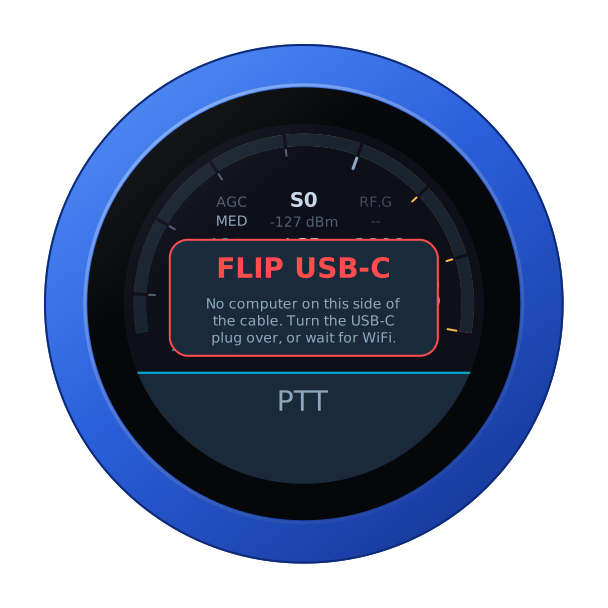
The USB-C socket only works one way round. The other way it reaches the board's second chip, the knob finds no computer, and says so. Turn the plug over.
First run
- In AetherSDR, enable the TCI server — the
TCIpanel in the button bar — and set it to start by itself in Settings, so the knob finds it every time. - Over the cable, open
http://10.55.42.1— useradmin, passwordadmin— and change the password: the page nags until you do, since it can key a transmitter. - For WiFi, set the SSID and the AetherSDR computer. That host is only for WiFi: over the cable the knob always talks to the computer it is plugged into. Up to four computers can be listed, each with a name for the dial.
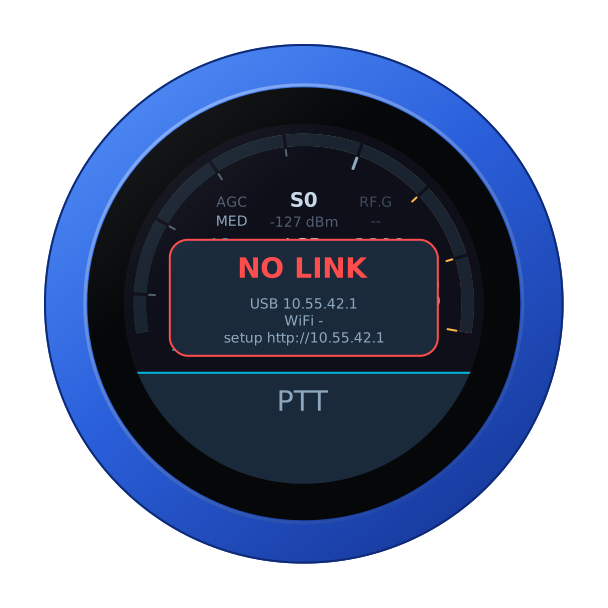
Until AetherSDR answers, the knob says so, with its addresses — over the cable, the computer's firewall is the usual reason: see the README's If the knob says NO LINK.
The face
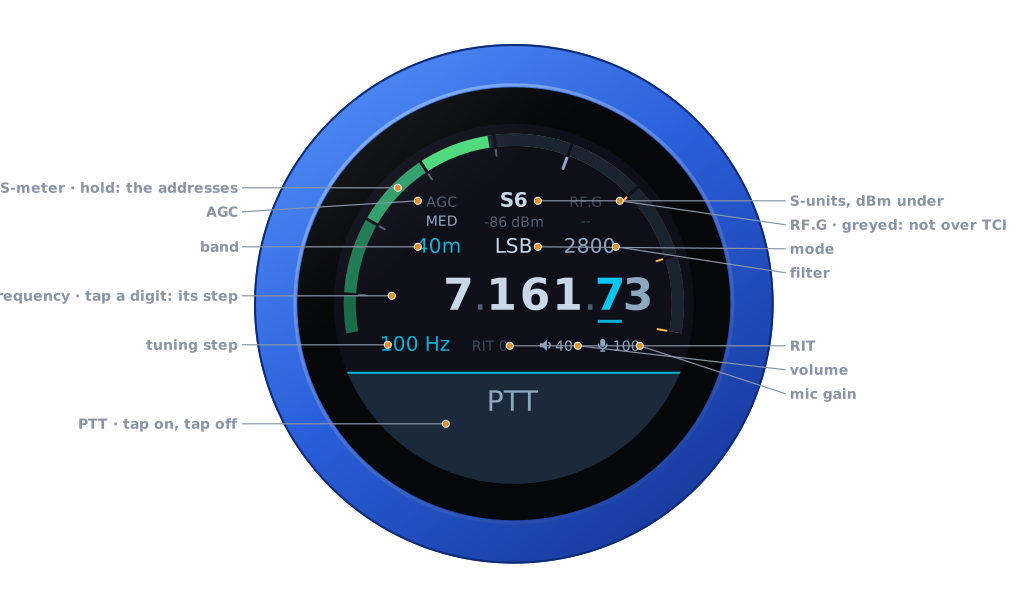
| Part | Tap | |
|---|---|---|
| S-meter | hold: the address card | S-units, peak held a second; dBm under the reading |
| AGC | the AGC editor | OFF, SLOW, MED, FAST |
| RF.G | — | greyed: AetherSDR's TCI does not carry the RF gain |
| Band | the band editor | the band's own frequency, on a tap on the panel |
| Mode | the mode editor | USB, LSB, CW, CW-R, AM, SAM, FM, NFM, DIGU, DIGL, RTTY |
| Filter | the filter editor | its width, on the side of the carrier the mode uses |
| Frequency | a digit: the tuning step | the underlined digit is the step |
| Step, RIT | RIT: its editor | RIT in amber when set |
| Volume, mic gain | their editors | the knob's own levels |
| PTT | key, and key off | see Transmitting |
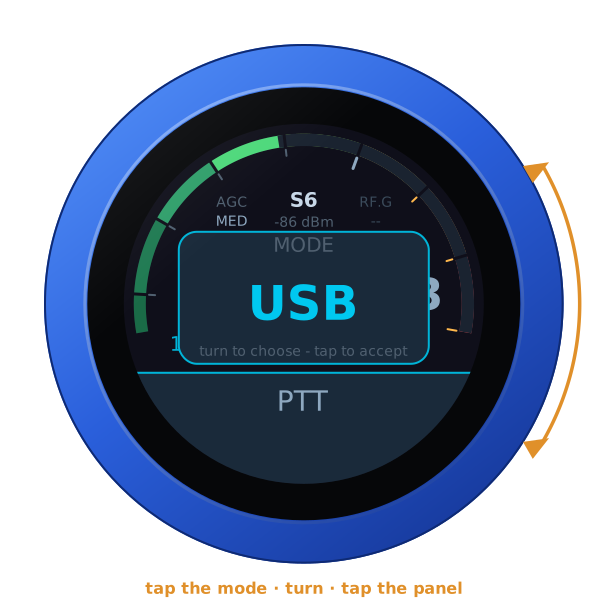
Turn the knob to tune: a slow turn moves a step at a time, a flick crosses a band. Band and mode change on a tap on the panel; filter, AGC, RIT, volume and mic gain apply as you turn, and any tap closes them.
Another computer
On WiFi, with more than one computer listed, swipe up: turn to one, tap the panel, and the knob restarts into it. Over the cable there is no choosing — the cable reaches one computer.
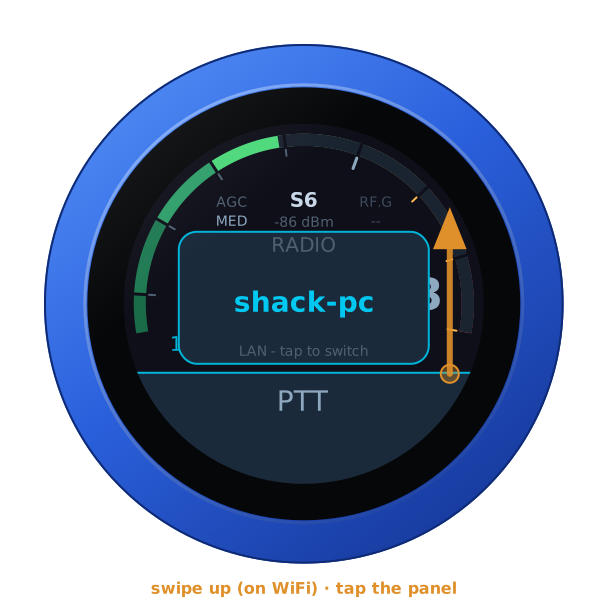
Transmitting
PTT is a toggle: tap to key, tap again to unkey. It keys as the finger lifts from a tap — a swipe that starts on it never keys — and on the air a touch unkeys at once. The face turns to transmit: SWR across the left half, forward power across the right, the microphone on the thin inner ring, the mic level on AetherSDR's own scale.
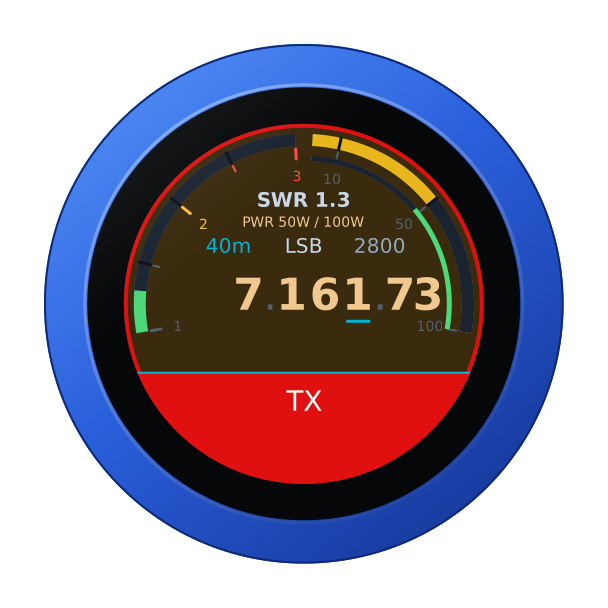
The transmit time-out is the radio's own: set it in AetherSDR, Radio Setup → TX → Timeout. The radio enforces it itself, so it holds even if the knob, the link or the computer does not.
Another firmware
Hold the S-meter for the address card, then hold it again for three seconds until the knob buzzes, and turn: see the setup guide. It needs WiFi: over the cable the knob says so and carries on.